Light Saber
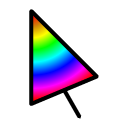
light saber cursor that follows you
Wat is Light Saber?
Light Saber is een Chrome-extensie ontwikkeld door FranPR9, en de belangrijkste functie is "light saber cursor that follows you".
Extensie Screenshots

Download het CRX-bestand van de extensie Light Saber
Download Light Saber-extensiebestanden in crx-indeling, installeer Chrome-extensies handmatig in de browser of deel de crx-bestanden met vrienden om Chrome-extensies eenvoudig te installeren.
Instructies voor het Gebruik van de Extensie
                        Light Saber that follows your cursor.
You can change it color, turn off the sound and send it to the back and front of your page
Basisinformatie over de Extensie
| Naam |  Light Saber Light Saber |
| ID | ecjhncafajenonjhgojomkbpbnbclkbk |
| Officiële URL | https://chrome.google.com/webstore/detail/light-saber/ecjhncafajenonjhgojomkbpbnbclkbk |
| Beschrijving | light saber cursor that follows you |
| Bestandsgrootte | 175 KB |
| Aantal Installaties | 510 |
| Huidige Versie | 0.3 |
| Laatst Bijgewerkt | 2015-12-16 |
| Publicatiedatum | 2015-12-16 |
| Beoordeling | 1.62/5 Totaal 13 Beoordelingen |
| Ontwikkelaar | FranPR9 |
| Betalingswijze | free |
| Extensiewebsite | https://github.com/FranPR9/light_saber |
| Ondersteunde Talen | en |
| manifest.json | |
{
    "update_url": "https:\/\/clients2.google.com\/service\/update2\/crx",
    "name": "Light Saber",
    "description": "light saber cursor that follows you",
    "version": "0.3",
    "manifest_version": 2,
    "browser_action": {
        "default_popup": "popup.html",
        "default_icon": "img\/lightsaber.png"
    },
    "background": {
        "scripts": [
            "background.js"
        ]
    },
    "content_scripts": [
        {
            "matches": [
                "http:\/\/www.google.com\/*"
            ],
            "js": [
                "js\/light_saber.js"
            ]
        }
    ],
    "web_accessible_resources": [
        "img\/*.png",
        "audio\/*.WAV"
    ],
    "icons": {
        "16": "img\/lightsaber.png",
        "128": "img\/lightsaber.png"
    },
    "permissions": [
        "activeTab",
        "tabs",
        "http:\/\/www.google.com\/*",
        "clipboardRead",
        "clipboardWrite",
        "https:\/\/ajax.googleapis.com\/"
    ]
} | |