Smartshot - Easy Screenshot
Take awesome screenshots of entire websites and capture page elements. No sign up. Offline. By Conceptboard
Wat is Smartshot - Easy Screenshot?
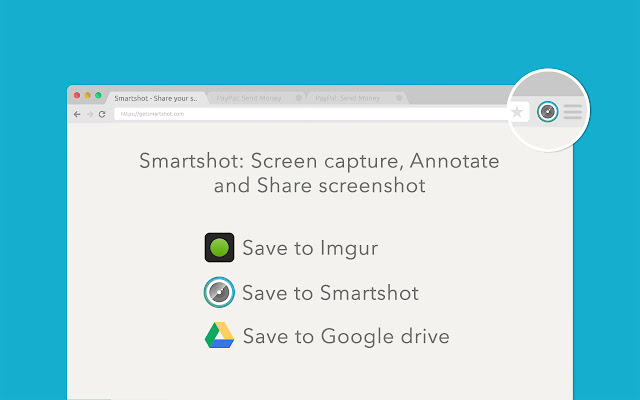
Smartshot - Easy Screenshot is een Chrome-extensie ontwikkeld door getyourscreenshot, en de belangrijkste functie is "Take awesome screenshots of entire websites and capture page elements. No sign up. Offline. By Conceptboard".
Extensie Screenshots

Download het CRX-bestand van de extensie Smartshot - Easy Screenshot
Download Smartshot - Easy Screenshot-extensiebestanden in crx-indeling, installeer Chrome-extensies handmatig in de browser of deel de crx-bestanden met vrienden om Chrome-extensies eenvoudig te installeren.
Instructies voor het Gebruik van de Extensie
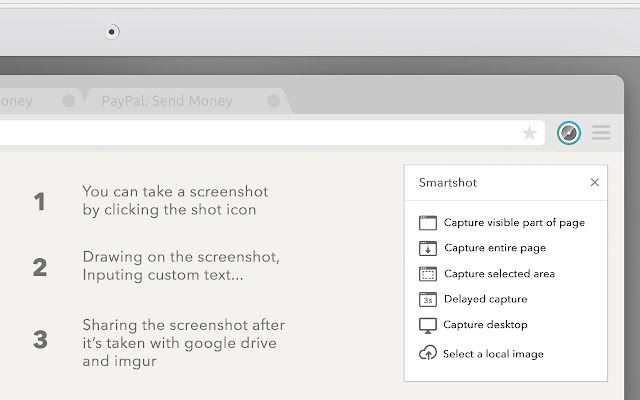
                        Introducing Smartshot - the ultimate screenshot tool for Google Chrome! With Smartshot, taking screenshots of single areas or whole websites has never been easier.

Whether you're a web developer, designer, or just need to capture something important, Smartshot has got you covered. Simply install the extension, click on the Smartshot icon, and select the area you want to capture. You can also capture an entire website with just a few clicks.

So what are you waiting for? Install Smartshot today and start capturing perfect screenshots in seconds!
Basisinformatie over de Extensie
| Naam |  Smartshot - Easy Screenshot Smartshot - Easy Screenshot |
| ID | edjbamdongkhmagbpppagfjbcojajeae |
| Officiële URL | https://chrome.google.com/webstore/detail/smartshot-easy-screenshot/edjbamdongkhmagbpppagfjbcojajeae |
| Beschrijving | Take awesome screenshots of entire websites and capture page elements. No sign up. Offline. By Conceptboard |
| Bestandsgrootte | 419 KB |
| Aantal Installaties | 13,981 |
| Huidige Versie | 3.0.6 |
| Laatst Bijgewerkt | 2023-06-12 |
| Publicatiedatum | 2020-06-23 |
| Beoordeling | 4.23/5 Totaal 1026 Beoordelingen |
| Ontwikkelaar | getyourscreenshot |
| [email protected] | |
| Betalingswijze | free |
| Extensiewebsite | https://www.getsmartshot.com/ |
| URL van de Privacybeleid Pagina | https://www.getsmartshot.com/privacy |
| Ondersteunde Talen | id,ms,de,en,en-GB,fil,fr,nl,no,vi,tr,ca,da,et,es,hr,it,lv,lt,hu,pl,pt-BR,ro,sk,sl,fi,sv,cs,el,sr,bg,ru,uk,mr,hi,bn,gu,ta,te,ml,th,zh-CN,zh-TW,ja,ko |
| manifest.json | |
{
    "update_url": "https:\/\/clients2.google.com\/service\/update2\/crx",
    "manifest_version": 2,
    "default_locale": "en",
    "name": "__MSG_name__",
    "short_name": "smartshot easy screenshot",
    "description": "__MSG_description__",
    "version": "3.0.6",
    "minimum_chrome_version": "41",
    "offline_enabled": true,
    "icons": {
        "16": "icon_16.png",
        "48": "icon_48.png",
        "128": "icon_128.png"
    },
    "browser_action": {
        "default_title": "Full Page Screenshot",
        "default_icon": {
            "38": "icon_38.png"
        },
        "default_popup": "main.html"
    },
    "permissions": [
        "activeTab",
        "storage",
        "http:\/\/*\/*",
        "https:\/\/*\/*",
        "unlimitedStorage",
        "webRequest",
        "webRequestBlocking"
    ],
    "background": {
        "scripts": [
            "js\/backgroundPage.js",
            "js\/lib-util.js",
            "js\/jquery.js",
            "js\/jquery.md5.js"
        ],
        "persistent": true
    },
    "content_security_policy": "script-src 'self' 'unsafe-eval' https:\/\/matomo.getsmartshot.com https:\/\/www.google-analytics.com; object-src 'self'"
} | |