Ybug
Capture current page, annotate it and send it to 20+ integrations such as GitHub, Trello, Asana, Jira and more...
Wat is Ybug?
Ybug is een Chrome-extensie ontwikkeld door https://ybug.io, en de belangrijkste functie is "Capture current page, annotate it and send it to 20+ integrations such as GitHub, Trello, Asana, Jira and more...".
Extensie Screenshots

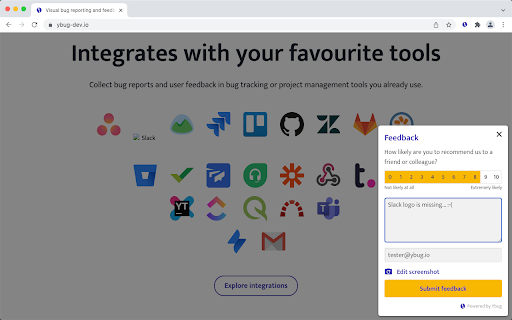
Download het CRX-bestand van de extensie Ybug
Download Ybug-extensiebestanden in crx-indeling, installeer Chrome-extensies handmatig in de browser of deel de crx-bestanden met vrienden om Chrome-extensies eenvoudig te installeren.
Instructies voor het Gebruik van de Extensie
                        Capture current page, annotate it and send it to 20+ integrations such as GitHub, Trello, Asana, Jira and more...

Get our brilliantly simple Feedback Widget for end users and a browser extension for testers and web developers (browser extension functionality now available for non-registered users, too!).

Collect feedback, suggestions and bug reports from your users, clients and teammates. Take screenshot of your current page, annotate it and send it to 20+ bug tracking or project management tools such as Asana, GitHub, Trello, Jira... Ybug automatically includes browser and environment details for you.
Basisinformatie over de Extensie
| Naam |  Ybug Ybug |
| ID | ejgicblnpmmjckfnhkpkbkbelpkoihch |
| Officiële URL | https://chromewebstore.google.com/detail/ybug/ejgicblnpmmjckfnhkpkbkbelpkoihch |
| Beschrijving | Capture current page, annotate it and send it to 20+ integrations such as GitHub, Trello, Asana, Jira and more... |
| Bestandsgrootte | 51.71 KB |
| Aantal Installaties | 1,219 |
| Huidige Versie | 1.1.0 |
| Laatst Bijgewerkt | 2022-02-24 |
| Publicatiedatum | 2019-05-22 |
| Beoordeling | 5.00/5 Totaal 1 Beoordelingen |
| Ontwikkelaar | https://ybug.io |
| [email protected] | |
| Betalingswijze | in_app |
| Extensiewebsite | https://ybug.io |
| Help Pagina-URL | https://ybug.io/docs/troubleshooting |
| URL van de Privacybeleid Pagina | https://ybug.io/privacy-policy |
| Ondersteunde Talen | en |
| manifest.json | |
{
"update_url": "https:\/\/clients2.google.com\/service\/update2\/crx",
"description": "Capture current page, annotate it and send it to 20+ integrations such as GitHub, Trello, Asana, Jira and more...",
"version": "1.1.0",
"name": "Ybug",
"short_name": "Ybug",
"author": "Ybug",
"icons": {
"16": "icon-16.png",
"32": "icon-32.png",
"48": "icon-48.png",
"128": "icon-128.png"
},
"background": {
"persistent": false,
"scripts": [
"background.bundle.js"
]
},
"content_scripts": [
{
"js": [
"annotate.bundle.js"
],
"matches": [
"*:\/\/ybug-dev.io\/*",
"*:\/\/ybug.io\/*"
]
},
{
"js": [
"content.bundle.js"
],
"matches": [
" | |