MyShows Recent
Quickly and easily manage the list of your shows
Wat is MyShows Recent?
MyShows Recent is een Chrome-extensie ontwikkeld door kraigo, en de belangrijkste functie is "Quickly and easily manage the list of your shows".
Extensie Screenshots

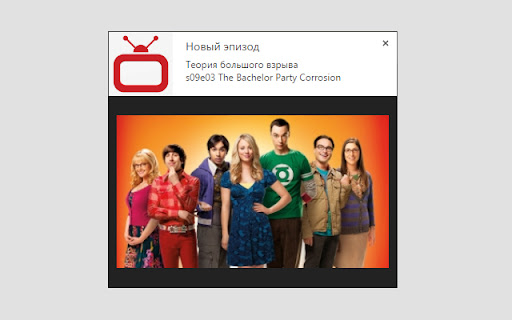
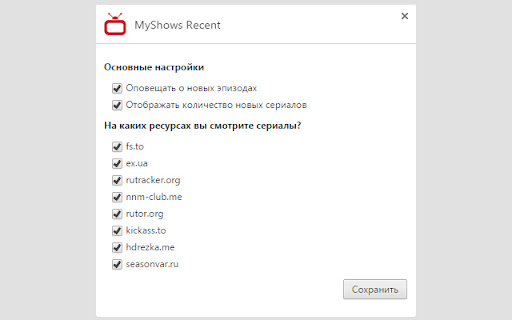

Download het CRX-bestand van de extensie MyShows Recent
Download MyShows Recent-extensiebestanden in crx-indeling, installeer Chrome-extensies handmatig in de browser of deel de crx-bestanden met vrienden om Chrome-extensies eenvoudig te installeren.
Instructies voor het Gebruik van de Extensie
                        Convenient plug-in for quick access to you shows

MyShows Recent:
- List of latest TV shows
- Mark the watched episodes
- Lock important series
- Add your own resources
Basisinformatie over de Extensie
| Naam |  MyShows Recent MyShows Recent |
| ID | falpkmpmnjihfpbfapkjfmdmckkelbmk |
| Officiële URL | https://chromewebstore.google.com/detail/myshows-recent/falpkmpmnjihfpbfapkjfmdmckkelbmk |
| Beschrijving | Quickly and easily manage the list of your shows |
| Bestandsgrootte | 73.56 KB |
| Aantal Installaties | 841 |
| Huidige Versie | 2.1.3 |
| Laatst Bijgewerkt | 2022-09-06 |
| Publicatiedatum | 2019-02-03 |
| Beoordeling | 4.37/5 Totaal 82 Beoordelingen |
| Ontwikkelaar | kraigo |
| [email protected] | |
| Betalingswijze | free |
| Ondersteunde Talen | en,ru,uk |
| manifest.json | |
{
    "update_url": "https:\/\/clients2.google.com\/service\/update2\/crx",
    "name": "__MSG_appName__",
    "version": "2.1.3",
    "default_locale": "ru",
    "author": "Kraigo",
    "manifest_version": 2,
    "background": {
        "page": "background.html",
        "persistent": true
    },
    "options_page": "options.html",
    "options_ui": {
        "chrome_style": true,
        "page": "options.html"
    },
    "description": "__MSG_appDesc__",
    "icons": {
        "16": "images\/icon-16.png",
        "48": "images\/icon-48.png",
        "128": "images\/icon-128.png"
    },
    "browser_action": {
        "default_icon": "images\/icon-16.png",
        "default_title": "__MSG_appTitle__",
        "default_popup": "popup.html"
    },
    "permissions": [
        "https:\/\/api.myshows.me\/",
        "https:\/\/media.myshows.me\/",
        "https:\/\/myshows.me\/",
        "notifications",
        "storage",
        "contextMenus"
    ],
    "content_security_policy": "script-src 'self' https:\/\/www.google-analytics.com; object-src 'self'"
} | |