Sharks HD new free tab theme
Get colorful sharks wallpapers, just opening a new tab.
Wat is Sharks HD new free tab theme?
Sharks HD new free tab theme is een Chrome-extensie ontwikkeld door http://freetabtheme.ru, en de belangrijkste functie is "Get colorful sharks wallpapers, just opening a new tab.".
Extensie Screenshots



Download het CRX-bestand van de extensie Sharks HD new free tab theme
Download Sharks HD new free tab theme-extensiebestanden in crx-indeling, installeer Chrome-extensies handmatig in de browser of deel de crx-bestanden met vrienden om Chrome-extensies eenvoudig te installeren.
Instructies voor het Gebruik van de Extensie
                        Sharks

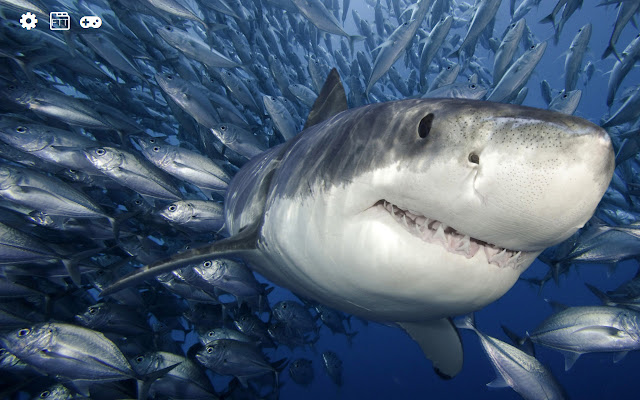
The theme of the new tab is for everyone who likes sharks.

Terrible predators of sea and ocean depths. By installing this extension, you can see these animals by simply opening a new browser tab.

The extension will replace the standard background of the new browser tab on the wallpapers with sharks.

Additional features:
- weather display setting
- time display setting
- displayed images settings
- search
Basisinformatie over de Extensie
| Naam |  Sharks HD new free tab theme Sharks HD new free tab theme |
| ID | fdbmpmcjjkfdjemkodmdllabdpefalpm |
| Officiële URL | https://chrome.google.com/webstore/detail/sharks-hd-new-free-tab-th/fdbmpmcjjkfdjemkodmdllabdpefalpm |
| Beschrijving | Get colorful sharks wallpapers, just opening a new tab. |
| Bestandsgrootte | 22.05 MB |
| Aantal Installaties | 212 |
| Huidige Versie | 0.3.0 |
| Laatst Bijgewerkt | 2021-04-27 |
| Publicatiedatum | 2018-10-12 |
| Beoordeling | 4.67/5 Totaal 3 Beoordelingen |
| Ontwikkelaar | http://freetabtheme.ru |
| [email protected] | |
| Betalingswijze | free |
| Extensiewebsite | https://freetabtheme.ru |
| Help Pagina-URL | https://freetabtheme.ru/form |
| URL van de Privacybeleid Pagina | https://freetabtheme.ru/eula |
| Ondersteunde Talen | en |
| manifest.json | |
{
    "update_url": "https:\/\/clients2.google.com\/service\/update2\/crx",
    "manifest_version": 2,
    "default_locale": "en",
    "name": "__MSG_chrome_extension_name__",
    "version": "0.3.0",
    "description": "__MSG_chrome_extension_description__",
    "background": {
        "scripts": [
            "vars.js",
            "js\/ls.js",
            "js\/lib\/lib.js",
            "js\/background\/api_b.js",
            "js\/background\/core_b.js"
        ],
        "persistent": true
    },
    "icons": {
        "16": "icons\/icon-16.png",
        "32": "icons\/icon-32.png",
        "48": "icons\/icon-48.png",
        "128": "icons\/icon-128.png"
    },
    "web_accessible_resources": [
        "icons\/*"
    ],
    "chrome_url_overrides": {
        "newtab": "page.html"
    },
    "content_security_policy": "script-src 'self' 'unsafe-eval'; object-src 'self'",
    "browser_action": {
        "default_title": "__MSG_chrome_extension_title__",
        "default_icon": {
            "16": "icons\/icon-16.png",
            "32": "icons\/icon-32.png",
            "48": "icons\/icon-48.png",
            "128": "icons\/icon-128.png"
        }
    }
} | |


![Batman Wallpaper New Tab Theme [Install]](https://lh3.googleusercontent.com/4r9qtiI0vJsfhG5fDnwI7ZNhpwaamgdKqQMr1-wjvIQV9nTPJixFpc6TY24MAxxAK6nILRzYDESLskMayhn-PhY5=w128-h128-e365-rj-sc0x00ffffff)