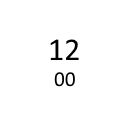
simpleClock
Shows a simple clock top right in the browser. The color is free selectable.
Wat is simpleClock?
simpleClock is een Chrome-extensie ontwikkeld door Stefan Dietz, en de belangrijkste functie is "Shows a simple clock top right in the browser. The color is free selectable.".
Extensie Screenshots

Download het CRX-bestand van de extensie simpleClock
Download simpleClock-extensiebestanden in crx-indeling, installeer Chrome-extensies handmatig in de browser of deel de crx-bestanden met vrienden om Chrome-extensies eenvoudig te installeren.
Instructies voor het Gebruik van de Extensie
Shows a simple clock top right in the browser. You can choose between the mini-calendar and a URL that will open, when you click onto the clock. You can set the URL, the date-format for the tooltip and the color of the clock-letters on the options-page. Basisinformatie over de Extensie
| Naam |  simpleClock simpleClock |
| ID | gdpdmdkjppdbhdbnkalaigilmdjkiine |
| Officiële URL | https://chrome.google.com/webstore/detail/simpleclock/gdpdmdkjppdbhdbnkalaigilmdjkiine |
| Beschrijving | Shows a simple clock top right in the browser. The color is free selectable. |
| Bestandsgrootte | 133 KB |
| Aantal Installaties | 1,000 |
| Huidige Versie | 2.3 |
| Laatst Bijgewerkt | 2021-08-31 |
| Publicatiedatum | 2013-01-05 |
| Beoordeling | 4.57/5 Totaal 7 Beoordelingen |
| Ontwikkelaar | Stefan Dietz |
| [email protected] | |
| Betalingswijze | free |
| Help Pagina-URL | https://github.com/sdvg/simpleClock_v2/issues |
| Ondersteunde Talen | en |
| manifest.json | |
{
    "update_url": "https:\/\/clients2.google.com\/service\/update2\/crx",
    "name": "simpleClock",
    "version": "2.3",
    "manifest_version": 2,
    "permissions": [],
    "description": "Shows a simple clock top right in the browser. The color is free selectable.",
    "homepage_url": "https:\/\/github.com\/sdvg\/simpleClock_v2",
    "icons": {
        "16": "icons\/icon16.png",
        "48": "icons\/icon48.png",
        "128": "icons\/icon128.png"
    },
    "background": {
        "scripts": [
            "src\/lib\/dateformat.js",
            "src\/bg\/background.js"
        ],
        "persistent": true
    },
    "options_page": "src\/options\/index.html",
    "browser_action": {
        "default_icon": "icons\/icon19.png",
        "default_title": "",
        "default_popup": "src\/browser_action\/browser_action.html"
    }
} | |