Downloads Folder Launcher
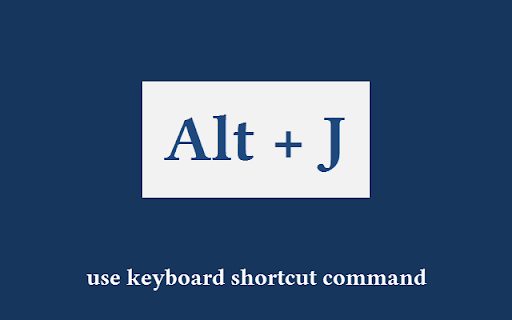
Quickly open the default 'Downloads' folder. keyboard shortcut: Alt+J.
Wat is Downloads Folder Launcher?
Downloads Folder Launcher is een Chrome-extensie ontwikkeld door https://browsernative.com, en de belangrijkste functie is "Quickly open the default 'Downloads' folder. keyboard shortcut: Alt+J.".
Extensie Screenshots

Download het CRX-bestand van de extensie Downloads Folder Launcher
Download Downloads Folder Launcher-extensiebestanden in crx-indeling, installeer Chrome-extensies handmatig in de browser of deel de crx-bestanden met vrienden om Chrome-extensies eenvoudig te installeren.
Instructies voor het Gebruik van de Extensie
Quickly open the default 'Downloads' folder. Use extension's toolbar button or the keyboard shortcut Alt + J. Basisinformatie over de Extensie
| Naam |  Downloads Folder Launcher Downloads Folder Launcher |
| ID | gmhianpphjibhflcnebkmkkdojjigbjd |
| Officiële URL | https://chromewebstore.google.com/detail/downloads-folder-launcher/gmhianpphjibhflcnebkmkkdojjigbjd |
| Beschrijving | Quickly open the default 'Downloads' folder. keyboard shortcut: Alt+J. |
| Bestandsgrootte | 11.94 KB |
| Aantal Installaties | 10,000 |
| Huidige Versie | 1.0.0 |
| Laatst Bijgewerkt | 2023-10-20 |
| Publicatiedatum | 2017-09-25 |
| Beoordeling | 4.53/5 Totaal 30 Beoordelingen |
| Ontwikkelaar | https://browsernative.com |
| [email protected] | |
| Betalingswijze | free |
| Extensiewebsite | https://browsernative.com/chromebook-download-folder-launcher/ |
| Help Pagina-URL | https://browsernative.com/chromebook-download-folder-launcher/ |
| URL van de Privacybeleid Pagina | https://browsernative.com/extensions-privacy-policy |
| Ondersteunde Talen | en |
| manifest.json | |
{
    "update_url": "https:\/\/clients2.google.com\/service\/update2\/crx",
    "background": {
        "service_worker": "sw.js"
    },
    "action": {
        "default_icon": {
            "128": "static\/icon-128.png",
            "48": "static\/icon-48.png",
            "16": "static\/icon-16.png"
        },
        "default_title": "Open 'Downloads' Folder"
    },
    "description": "Quickly open the default 'Downloads' folder. keyboard shortcut: Alt+J.",
    "homepage_url": "https:\/\/browsernative.com\/chromebook-download-folder-launcher\/",
    "icons": {
        "128": "static\/icon-128.png",
        "48": "static\/icon-48.png",
        "16": "static\/icon-16.png"
    },
    "manifest_version": 3,
    "name": "Downloads Folder Launcher",
    "offline_enabled": true,
    "permissions": [
        "downloads"
    ],
    "version": "1.0.0",
    "commands": {
        "_execute_action": {
            "suggested_key": {
                "default": "Alt+J"
            }
        }
    }
} | |