Wanscam IP Camera
Monitor your camera without opening new tab.
Wat is Wanscam IP Camera?
Wanscam IP Camera is een Chrome-extensie ontwikkeld door Leon Tuček, en de belangrijkste functie is "Monitor your camera without opening new tab.".
Extensie Screenshots
Download het CRX-bestand van de extensie Wanscam IP Camera
Download Wanscam IP Camera-extensiebestanden in crx-indeling, installeer Chrome-extensies handmatig in de browser of deel de crx-bestanden met vrienden om Chrome-extensies eenvoudig te installeren.
Instructies voor het Gebruik van de Extensie
                        Unofficial Wanscam Google Chrome extension. Monitor your camera without opening new tab or window.

---------------------------------------------------------------
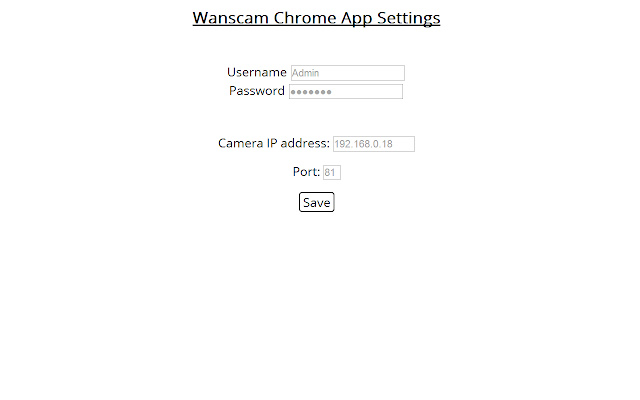
Configuration: Right click on extension icon and go to settings. Enter your camera IP address, port, username and password, click save.

For PTZ go to configuration and choose between 4 and 8 directions, after choosing click save.
---------------------------------------------------------------

Please keep in mind currently this extension works only with local cameras, and doesn't support sound.

v1.0 - Tested on Wanscam JW0009
v1.1 - Minor updates and bug fixes
v1.2 - Added PTZ support, performance improvements
Basisinformatie over de Extensie
| Naam |  Wanscam IP Camera Wanscam IP Camera |
| ID | heibmgpgjohfbkkhbonnmimpnmjaopcp |
| Officiële URL | https://chrome.google.com/webstore/detail/wanscam-ip-camera/heibmgpgjohfbkkhbonnmimpnmjaopcp |
| Beschrijving | Monitor your camera without opening new tab. |
| Bestandsgrootte | 147 KB |
| Aantal Installaties | 5,377 |
| Huidige Versie | 1.2 |
| Laatst Bijgewerkt | 2015-01-10 |
| Publicatiedatum | 2015-01-10 |
| Beoordeling | 2.83/5 Totaal 75 Beoordelingen |
| Ontwikkelaar | Leon Tuček |
| Betalingswijze | free |
| Ondersteunde Talen | en-US |
| manifest.json | |
{
    "update_url": "https:\/\/clients2.google.com\/service\/update2\/crx",
    "manifest_version": 2,
    "name": "Wanscam IP Camera",
    "options_page": "options.html",
    "description": "Monitor your camera without opening new tab.",
    "icons": {
        "128": "images\/cam-128x128.png",
        "16": "images\/cam-48x48.png",
        "48": "images\/cam-48x48.png"
    },
    "version": "1.2",
    "permissions": [
        "storage"
    ],
    "browser_action": {
        "default_icon": "images\/icon.png",
        "default_popup": "popup.html"
    },
    "content_security_policy": "script-src 'self' https:\/\/ssl.google-analytics.com; object-src 'self'"
} | |