LinkedIn Auto Connect
A tool that automates adding connections on LinkedIn.
Wat is LinkedIn Auto Connect?
LinkedIn Auto Connect is een Chrome-extensie ontwikkeld door Staff Wise, en de belangrijkste functie is "A tool that automates adding connections on LinkedIn.".
Extensie Screenshots

Download het CRX-bestand van de extensie LinkedIn Auto Connect
Download LinkedIn Auto Connect-extensiebestanden in crx-indeling, installeer Chrome-extensies handmatig in de browser of deel de crx-bestanden met vrienden om Chrome-extensies eenvoudig te installeren.
Instructies voor het Gebruik van de Extensie
                        LinkedIn Auto Connect (LAC) is a tool used to keep you productive while connecting to potential clients, coworkers, and more. To use you navigate to LinkedIn connections tab then open LAC. Here you will see:
- Link that takes you to the best page for our extension to work
- Instructions
- Text box for you to enter the number of connections you want to make
- Start button. Once you click start the extension will use the number you typed or it will default to 20 if you didn't enter a number.
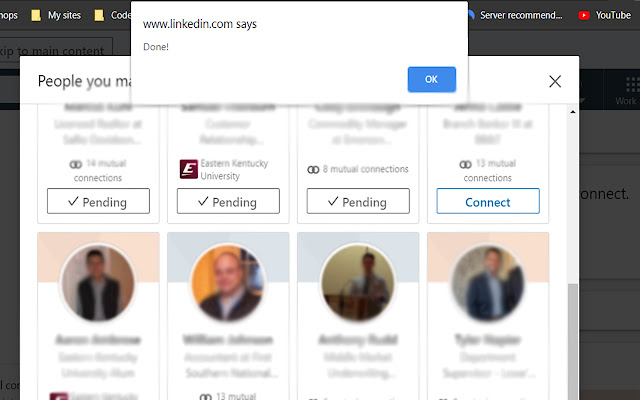
When LAC is finished adding connections, it will alert you via a pop up.
Use this tool to help automate your connections so you can focus on doing the work that matters.
Basisinformatie over de Extensie
| Naam |  LinkedIn Auto Connect LinkedIn Auto Connect |
| ID | indbngekimbgbondadeggnkaapcpekag |
| Officiële URL | https://chrome.google.com/webstore/detail/linkedin-auto-connect/indbngekimbgbondadeggnkaapcpekag |
| Beschrijving | A tool that automates adding connections on LinkedIn. |
| Bestandsgrootte | 110 KB |
| Aantal Installaties | 130 |
| Huidige Versie | 1.0 |
| Laatst Bijgewerkt | 2020-05-30 |
| Publicatiedatum | 2020-05-30 |
| Ontwikkelaar | Staff Wise |
| Betalingswijze | free |
| Ondersteunde Talen | en |
| manifest.json | |
{
    "update_url": "https:\/\/clients2.google.com\/service\/update2\/crx",
    "manifest_version": 2,
    "name": "LinkedIn Auto Connect",
    "description": "A tool that automates adding connections on LinkedIn.",
    "version": "1.0",
    "author": "Robert H.",
    "permissions": [
        "activeTab"
    ],
    "icons": {
        "16": "16.png",
        "48": "48.png",
        "128": "128.png"
    },
    "content_scripts": [
        {
            "matches": [
                "*:\/\/.linkedin.com\/*"
            ],
            "js": [
                "jquery.js",
                "connect.js"
            ]
        }
    ],
    "browser_action": {
        "default_popup": "connect.html"
    }
} | |