Image to PDF Converter
Get your images(jpg, png, gif, bmp) converted to PDF document instantly
Wat is Image to PDF Converter?
Image to PDF Converter is een Chrome-extensie ontwikkeld door https://online-converter.freepdfsolutions.com, en de belangrijkste functie is "Get your images(jpg, png, gif, bmp) converted to PDF document instantly".
Extensie Screenshots
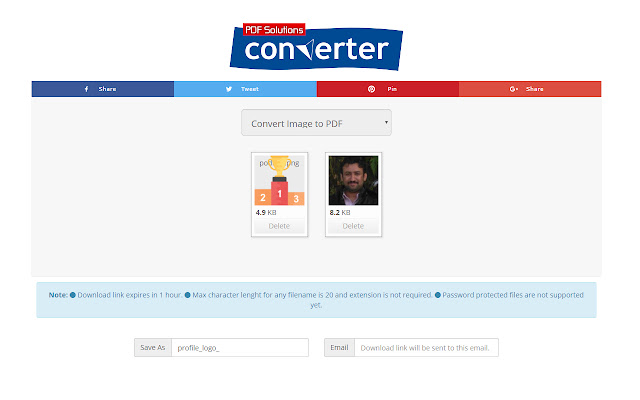
Download het CRX-bestand van de extensie Image to PDF Converter
Download Image to PDF Converter-extensiebestanden in crx-indeling, installeer Chrome-extensies handmatig in de browser of deel de crx-bestanden met vrienden om Chrome-extensies eenvoudig te installeren.
Instructies voor het Gebruik van de Extensie
                        Convert images to pdf document rather easily.

How?

-Click extension icon, it will redirect you to online converter tool.
-Select image files you want to convert and click convert button.
-You will get pdf download link in email.
Basisinformatie over de Extensie
| Naam |  Image to PDF Converter Image to PDF Converter |
| ID | jlpnnbpgcpkogdkhelnkcfgmnbbmllnb |
| Officiële URL | https://chrome.google.com/webstore/detail/image-to-pdf-converter/jlpnnbpgcpkogdkhelnkcfgmnbbmllnb |
| Beschrijving | Get your images(jpg, png, gif, bmp) converted to PDF document instantly |
| Bestandsgrootte | 6.39 KB |
| Aantal Installaties | 167 |
| Huidige Versie | 1.0 |
| Laatst Bijgewerkt | 2018-10-04 |
| Publicatiedatum | 2018-10-04 |
| Beoordeling | 5.00/5 Totaal 4 Beoordelingen |
| Ontwikkelaar | https://online-converter.freepdfsolutions.com |
| [email protected] | |
| Betalingswijze | free |
| Extensiewebsite | https://online-converter.freepdfsolutions.com/#image-to-pdf-converter |
| URL van de Privacybeleid Pagina | https://freeconverting.com/privacy.php |
| Ondersteunde Talen | en |
| manifest.json | |
{
    "update_url": "https:\/\/clients2.google.com\/service\/update2\/crx",
    "manifest_version": 2,
    "name": "Image to PDF Converter",
    "default_locale": "en",
    "description": "Get your images(jpg, png, gif, bmp) converted to PDF document instantly",
    "background": {
        "scripts": [
            "background.js"
        ]
    },
    "version": "1.0",
    "icons": {
        "16": "images\/icon-16.png",
        "48": "images\/icon-48.png",
        "128": "images\/icon-128.png"
    },
    "browser_action": {
        "default_icon": "images\/icon-128.png"
    },
    "permissions": [
        "tabs"
    ]
} | |