Gibbon
Gibbon Extension for Google Chrome - One click to put the best content in your learning flow.
Wat is Gibbon?
Gibbon is een Chrome-extensie ontwikkeld door http://gibbon.co, en de belangrijkste functie is "Gibbon Extension for Google Chrome - One click to put the best content in your learning flow.".
Extensie Screenshots
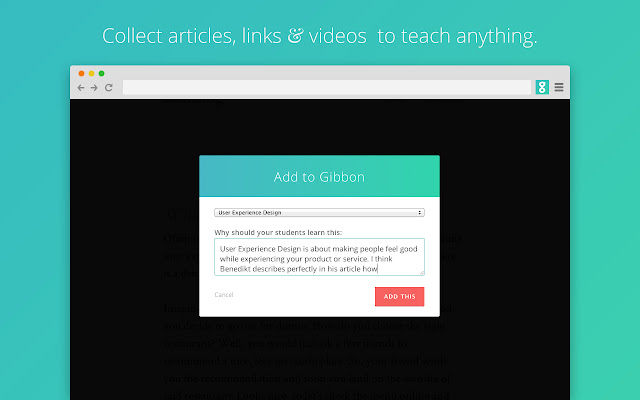
Download het CRX-bestand van de extensie Gibbon
Download Gibbon-extensiebestanden in crx-indeling, installeer Chrome-extensies handmatig in de browser of deel de crx-bestanden met vrienden om Chrome-extensies eenvoudig te installeren.
Instructies voor het Gebruik van de Extensie
Easily put the best content in your learning flow. Just click on the icon and select which learning flow the link belongs to. Basisinformatie over de Extensie
| Naam |  Gibbon Gibbon |
| ID | joknefodjdjbcijgpnfnkfdcmngiacko |
| Officiële URL | https://chrome.google.com/webstore/detail/gibbon/joknefodjdjbcijgpnfnkfdcmngiacko |
| Beschrijving | Gibbon Extension for Google Chrome - One click to put the best content in your learning flow. |
| Bestandsgrootte | 45.74 KB |
| Aantal Installaties | 203 |
| Huidige Versie | 1.1.0 |
| Laatst Bijgewerkt | 2015-05-12 |
| Publicatiedatum | 2015-05-12 |
| Beoordeling | 3.00/5 Totaal 4 Beoordelingen |
| Ontwikkelaar | http://gibbon.co |
| Betalingswijze | free |
| Extensiewebsite | http://gibbon.co |
| Ondersteunde Talen | en |
| manifest.json | |
{
    "update_url": "https:\/\/clients2.google.com\/service\/update2\/crx",
    "manifest_version": 2,
    "name": "Gibbon",
    "description": "Gibbon Extension for Google Chrome - One click to put the best content in your learning flow.",
    "version": "1.1.0",
    "short_name": "Gibbon",
    "homepage_url": "http:\/\/gibbon.co",
    "icons": {
        "128": "icons\/icon-128px.png"
    },
    "browser_action": {
        "default_icon": {
            "19": "icons\/icon-19px.png",
            "38": "icons\/icon-38px.png"
        },
        "default_title": "+ Gibbon"
    },
    "permissions": [
        "tabs",
        "http:\/\/*\/*",
        "https:\/\/*\/*"
    ],
    "background": {
        "scripts": [
            "background.js"
        ]
    },
    "web_accessible_resources": [
        "jquery-1.10.1.min.map",
        "frame.html"
    ],
    "content_scripts": [
        {
            "js": [
                "jquery-1.10.1.min.js",
                "installed.js"
            ],
            "run_at": "document_start",
            "matches": [
                "http:\/\/*\/*",
                "https:\/\/*\/*"
            ]
        }
    ]
} | |