New Tab Page
Google Now new tab page.
Wat is New Tab Page?
New Tab Page is een Chrome-extensie ontwikkeld door http://new-tab.info, en de belangrijkste functie is "Google Now new tab page.".
Extensie Screenshots
Download het CRX-bestand van de extensie New Tab Page
Download New Tab Page-extensiebestanden in crx-indeling, installeer Chrome-extensies handmatig in de browser of deel de crx-bestanden met vrienden om Chrome-extensies eenvoudig te installeren.
Instructies voor het Gebruik van de Extensie
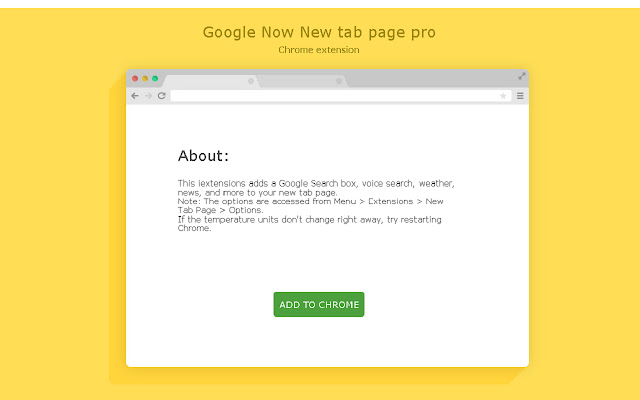
                        This iextensions adds a Google Search box, voice search, weather, news, and more to your new tab page.
Note: The options are accessed from Menu > Extensions > New Tab Page > Options.
If the temperature units don't change right away, try restarting Chrome.
Basisinformatie over de Extensie
| Naam |  New Tab Page New Tab Page |
| ID | kkcifijnkpndhedcpfkiokilpeeiblap |
| Officiële URL | https://chrome.google.com/webstore/detail/new-tab-page/kkcifijnkpndhedcpfkiokilpeeiblap |
| Beschrijving | Google Now new tab page. |
| Bestandsgrootte | 1.58 MB |
| Aantal Installaties | 12 |
| Huidige Versie | 1.0 |
| Laatst Bijgewerkt | 2016-05-16 |
| Publicatiedatum | 2016-05-16 |
| Beoordeling | 5.00/5 Totaal 4 Beoordelingen |
| Ontwikkelaar | http://new-tab.info |
| Betalingswijze | free |
| URL van de Privacybeleid Pagina | http://chromereload.net/siteprivacy.html |
| Ondersteunde Talen | en |
| manifest.json | |
{
    "update_url": "https:\/\/clients2.google.com\/service\/update2\/crx",
    "manifest_version": 2,
    "default_locale": "en",
    "name": "__MSG_extName__",
    "description": "__MSG_extDesc__",
    "version": "1.0",
    "icons": {
        "16": "icon16.png",
        "64": "icon64.png",
        "128": "icon128.png"
    },
    "chrome_url_overrides": {
        "newtab": "index.html"
    },
    "permissions": [
        "activeTab",
        "tabs",
        "chrome:\/\/favicon\/",
        "sessions",
        "idle",
        "history",
        "management",
        "storage",
        "topSites",
        "webRequest",
        "webRequestBlocking",
        "geolocation",
        "*:\/\/*\/*"
    ],
    "background": {
        "page": "background.html"
    },
    "content_security_policy": "script-src 'self' 'unsafe-eval' https:\/\/ssl.google-analytics.com; object-src 'self'",
    "options_page": "options.html"
} | |