ekill
Remove unwanted elements from a page quickly!
Wat is ekill?
ekill is een Chrome-extensie ontwikkeld door rhardih, en de belangrijkste functie is "Remove unwanted elements from a page quickly!".
Extensie Screenshots
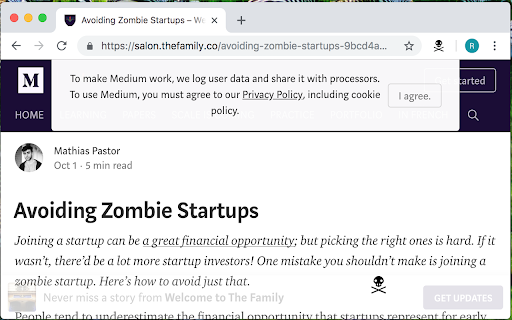


Download het CRX-bestand van de extensie ekill
Download ekill-extensiebestanden in crx-indeling, installeer Chrome-extensies handmatig in de browser of deel de crx-bestanden met vrienden om Chrome-extensies eenvoudig te installeren.
Instructies voor het Gebruik van de Extensie
                        Allows you to kill any element that is in the way of what you want to see on a given page.

As an experimental feature, ekill will hold a grudge, meaning it can also remove elements automatically, by remembering previously targets.

Source code available at https://github.com/rhardih/ekill
Basisinformatie over de Extensie
| Naam |  ekill ekill |
| ID | lcgdpfaiipaelnpepigdafiogebaeedg |
| Officiële URL | https://chromewebstore.google.com/detail/ekill/lcgdpfaiipaelnpepigdafiogebaeedg |
| Beschrijving | Remove unwanted elements from a page quickly! |
| Bestandsgrootte | 88.56 KB |
| Aantal Installaties | 4,000 |
| Huidige Versie | 1.9.0 |
| Laatst Bijgewerkt | 2019-07-12 |
| Publicatiedatum | 2019-07-12 |
| Beoordeling | 5.00/5 Totaal 6 Beoordelingen |
| Ontwikkelaar | rhardih |
| [email protected] | |
| Betalingswijze | free |
| Extensiewebsite | https://github.com/rhardih/ekill |
| Help Pagina-URL | https://github.com/rhardih/ekill |
| Ondersteunde Talen | en-US |
| manifest.json | |
{
"update_url": "https:\/\/clients2.google.com\/service\/update2\/crx",
"name": "ekill",
"version": "1.9.0",
"description": "Remove unwanted elements from a page quickly!",
"manifest_version": 2,
"browser_action": {
"default_icon": {
"16": "skull-and-bones-16.png",
"48": "skull-and-bones-48.png",
"128": "skull-and-bones-128.png"
},
"theme_icons": [
{
"light": "skull-and-bones-16-light.png",
"dark": "skull-and-bones-16.png",
"size": 16
},
{
"light": "skull-and-bones-48-light.png",
"dark": "skull-and-bones-48.png",
"size": 48
}
]
},
"options_ui": {
"page": "options.html",
"open_in_tab": true,
"browser_style": false,
"chrome_style": false
},
"applications": {
"gecko": {
"id": "{e4326fc5-909b-47e0-a0af-dd3ec180dea5}",
"strict_min_version": "42.0"
}
},
"permissions": [
"activeTab",
"storage",
"unlimitedStorage"
],
"background": {
"scripts": [
"js\/testable.js",
"js\/background.js"
]
},
"content_scripts": [
{
"matches": [
" | |