Journal access through HKU library
A simple chrome extension that let you access journal through HKU library resources (HKU ID needed).
Wat is Journal access through HKU library?
Journal access through HKU library is een Chrome-extensie ontwikkeld door junyichen, en de belangrijkste functie is "A simple chrome extension that let you access journal through HKU library resources (HKU ID needed).".
Extensie Screenshots
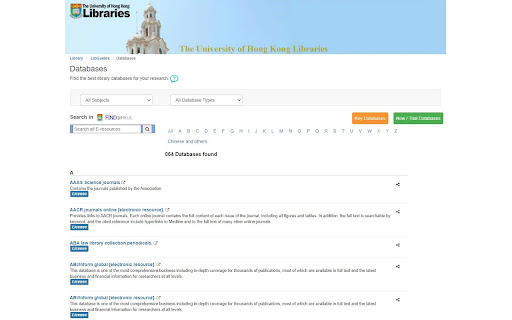

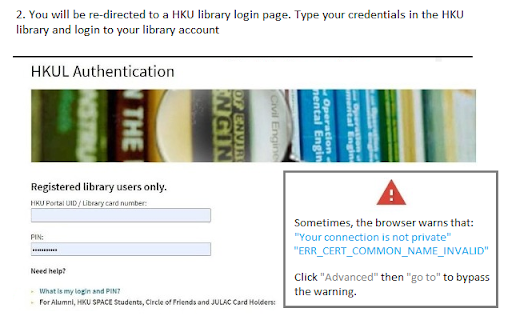
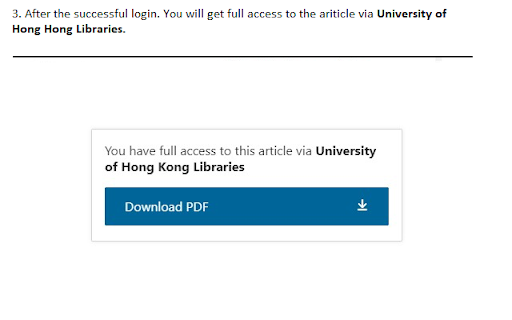
Download het CRX-bestand van de extensie Journal access through HKU library
Download Journal access through HKU library-extensiebestanden in crx-indeling, installeer Chrome-extensies handmatig in de browser of deel de crx-bestanden met vrienden om Chrome-extensies eenvoudig te installeren.
Instructies voor het Gebruik van de Extensie
An extension that redirect you from the journal page to the HKU library portal. You need to login the HKU library. The extension will automatically parse the current URL of the current paper page to the HKU library address. Basisinformatie over de Extensie
| Naam |  Journal access through HKU library Journal access through HKU library |
| ID | lcnnijjgcjfpcfjgnahbcpapbmkiceld |
| Officiële URL | https://chromewebstore.google.com/detail/journal-access-through-hk/lcnnijjgcjfpcfjgnahbcpapbmkiceld |
| Beschrijving | A simple chrome extension that let you access journal through HKU library resources (HKU ID needed). |
| Bestandsgrootte | 47.64 KB |
| Aantal Installaties | 135 |
| Huidige Versie | 0.0.1 |
| Laatst Bijgewerkt | 2021-09-02 |
| Publicatiedatum | 2021-08-04 |
| Ontwikkelaar | junyichen |
| [email protected] | |
| Betalingswijze | free |
| Ondersteunde Talen | en-US |
| manifest.json | |
{
    "update_url": "https:\/\/clients2.google.com\/service\/update2\/crx",
    "manifest_version": 2,
    "name": "Journal access through HKU library",
    "short_name": "HKULibJ",
    "description": "A simple chrome extension that let you access journal through HKU library resources (HKU ID needed).",
    "version": "0.0.1",
    "minimum_chrome_version": "38",
    "permissions": [
        "contextMenus",
        "tabs"
    ],
    "icons": {
        "16": "assets\/icon16.png",
        "128": "assets\/icon128.png"
    },
    "background": {
        "page": "background.html"
    }
} | |