Oriental project Popular HD New Tab Theme
Every time you open a new tab, you will get different HD wallpapers from the Oriental Project.Includes clock and more.
Wat is Oriental project Popular HD New Tab Theme?
Oriental project Popular HD New Tab Theme is een Chrome-extensie ontwikkeld door http://mytab.me, en de belangrijkste functie is "Every time you open a new tab, you will get different HD wallpapers from the Oriental Project.Includes clock and more.".
Extensie Screenshots


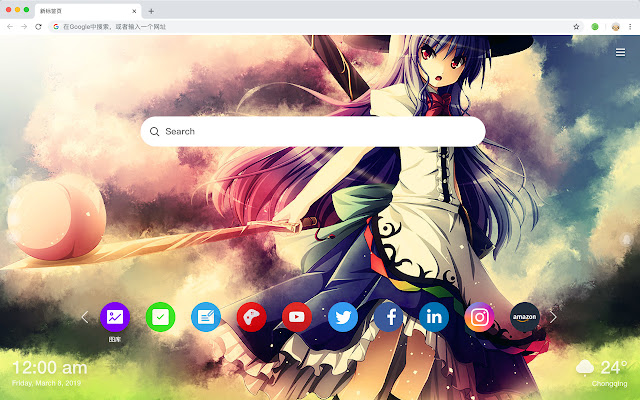
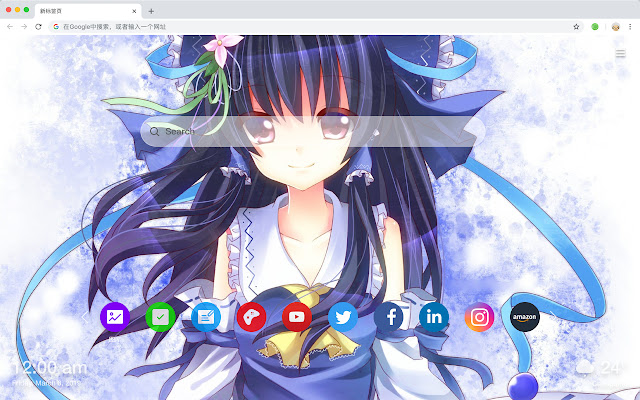
Download het CRX-bestand van de extensie Oriental project Popular HD New Tab Theme
Download Oriental project Popular HD New Tab Theme-extensiebestanden in crx-indeling, installeer Chrome-extensies handmatig in de browser of deel de crx-bestanden met vrienden om Chrome-extensies eenvoudig te installeren.
Instructies voor het Gebruik van de Extensie
                        Here is a list of the features we have designed for you to include this extension:
 - Open to search
 - To-do list
 - Set your favorite wallpapers
 - One-click access to popular websites
 - Bookmarks
 - Social network notifications
 - High quality wallpaper for each new label
 - Clock showing date and time
 - Weather widget
 - Discover new hot spots
Basisinformatie over de Extensie
| Naam |  Oriental project Popular HD New Tab Theme Oriental project Popular HD New Tab Theme |
| ID | lcokfoopmbpjcecinpaljbcnlegkjeic |
| Officiële URL | https://chrome.google.com/webstore/detail/oriental-project-popular/lcokfoopmbpjcecinpaljbcnlegkjeic |
| Beschrijving | Every time you open a new tab, you will get different HD wallpapers from the Oriental Project.Includes clock and more. |
| Bestandsgrootte | 43.46 KB |
| Aantal Installaties | 126 |
| Huidige Versie | 1.1.1.0 |
| Laatst Bijgewerkt | 2019-06-26 |
| Publicatiedatum | 2019-06-26 |
| Ontwikkelaar | http://mytab.me |
| Betalingswijze | free |
| Ondersteunde Talen | en,zh-CN,zh-TW |
| manifest.json | |
{
    "name": "__MSG_ext_name__",
    "manifest_version": 2,
    "description": "__MSG_ext_desc__",
    "browser_action": {
        "default_icon": {
            "48": "icons\/48.png"
        },
        "default_title": "__MSG_ext_name__"
    },
    "chrome_url_overrides": {
        "newtab": "pages\/newtab\/index.html"
    },
    "background": {
        "scripts": [
            "app.js",
            "pages\/background\/index.js"
        ],
        "persistent": false
    },
    "default_locale": "en",
    "icons": {
        "48": "icons\/48.png",
        "128": "icons\/128.png"
    },
    "minimum_chrome_version": "57",
    "offline_enabled": true,
    "update_url": "https:\/\/clients2.google.com\/service\/update2\/crx",
    "version": "1.1.1.0"
} | |