IPFS Search
A simple tool to search on IPFS.
Wat is IPFS Search?
IPFS Search is een Chrome-extensie ontwikkeld door Samuele Marro, en de belangrijkste functie is "A simple tool to search on IPFS.".
Extensie Screenshots

Download het CRX-bestand van de extensie IPFS Search
Download IPFS Search-extensiebestanden in crx-indeling, installeer Chrome-extensies handmatig in de browser of deel de crx-bestanden met vrienden om Chrome-extensies eenvoudig te installeren.
Instructies voor het Gebruik van de Extensie
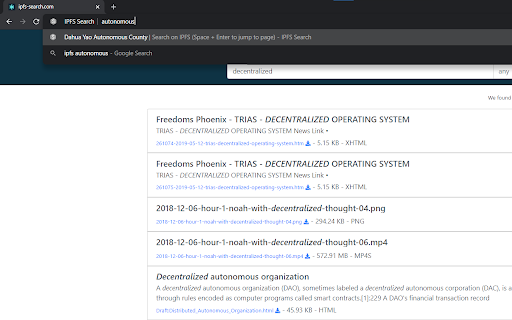
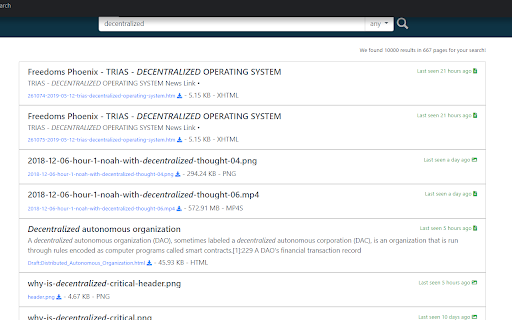
                        This extension allows you to use ipfs-search's API directly from your search bar. Simply type "ipfs" + Tab/Space to activate it.

Features:
- Instant jump to first result: Simply type Space + Enter and you will be redirected to the first search result on IPFS;
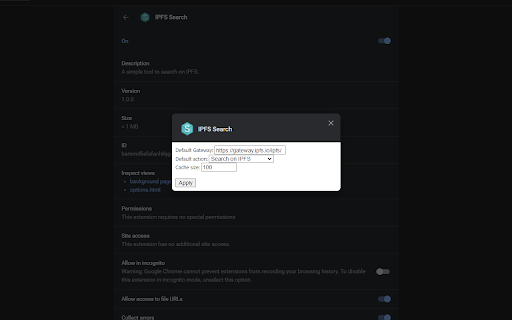
- Configurable IPFS gateway: If your workstation doesn't run an IPFS server, you can use a gateway to jump to IPFS pages using http (default gateway: gateway.ipfs.io);
- Cached results for faster search.
Basisinformatie over de Extensie
| Naam |  IPFS Search IPFS Search |
| ID | lffnkibaadgoclbhfajpnhlobdoomfeh |
| Officiële URL | https://chromewebstore.google.com/detail/ipfs-search/lffnkibaadgoclbhfajpnhlobdoomfeh |
| Beschrijving | A simple tool to search on IPFS. |
| Bestandsgrootte | 25.42 KB |
| Aantal Installaties | 960 |
| Huidige Versie | 1.0.0 |
| Laatst Bijgewerkt | 2021-03-28 |
| Publicatiedatum | 2021-03-28 |
| Beoordeling | 5.00/5 Totaal 1 Beoordelingen |
| Ontwikkelaar | Samuele Marro |
| [email protected] | |
| Betalingswijze | free |
| Extensiewebsite | https://github.com/samuelemarro/IPFS-Chrome-Search |
| Help Pagina-URL | https://github.com/samuelemarro/IPFS-Chrome-Search/issues |
| Ondersteunde Talen | en-US |
| manifest.json | |
{
    "update_url": "https:\/\/clients2.google.com\/service\/update2\/crx",
    "name": "IPFS Search",
    "description": "A simple tool to search on IPFS.",
    "version": "1.0.0",
    "background": {
        "scripts": [
            "background.js"
        ]
    },
    "omnibox": {
        "keyword": "ipfs"
    },
    "manifest_version": 2,
    "author": "Samuele Marro",
    "incognito": "split",
    "icons": {
        "16": "icons\/16.png",
        "32": "icons\/32.png",
        "64": "icons\/64.png",
        "128": "icons\/128.png"
    },
    "options_ui": {
        "page": "options.html",
        "chrome_style": true,
        "open_in_tab": false
    },
    "permissions": [
        "storage"
    ]
} | |