Web TikTok
Watch tik tok in mobile form in a browser.
Wat is Web TikTok?
Web TikTok is een Chrome-extensie ontwikkeld door foa18676, en de belangrijkste functie is "Watch tik tok in mobile form in a browser.".
Extensie Screenshots
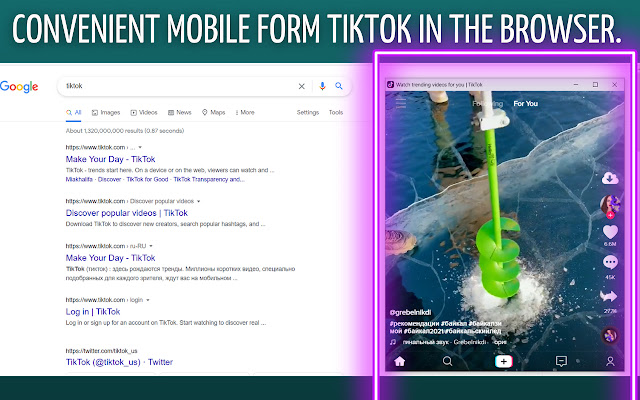
Download het CRX-bestand van de extensie Web TikTok
Download Web TikTok-extensiebestanden in crx-indeling, installeer Chrome-extensies handmatig in de browser of deel de crx-bestanden met vrienden om Chrome-extensies eenvoudig te installeren.
Instructies voor het Gebruik van de Extensie
                        TikTok Mobile View - this is the name of our new extension, which is already used by a lot of people.  TikTok Mobile View is an extension where you can create your account and upload your videos to the network.  You can use different effects, slow down or speed up your video, and the ability to apply a filter to your video is also provided.  It contains a huge amount of different music.  Capture trends and fly into recommendations.  TikTok Mobile View is completely free and easy to use.  Rather, join the people who have already downloaded our product and enjoy using it.
The extension gets the number of visits from tiktok links
Basisinformatie over de Extensie
| Naam |  Web TikTok Web TikTok |
| ID | lijndnmpjnhjmhklmmnijcchadmpmpik |
| Officiële URL | https://chrome.google.com/webstore/detail/web-tiktok/lijndnmpjnhjmhklmmnijcchadmpmpik |
| Beschrijving | Watch tik tok in mobile form in a browser. |
| Bestandsgrootte | 47.65 KB |
| Aantal Installaties | 20,000 |
| Huidige Versie | 3.1.1 |
| Laatst Bijgewerkt | 2021-10-04 |
| Publicatiedatum | 2021-05-03 |
| Beoordeling | 3.38/5 Totaal 13 Beoordelingen |
| Ontwikkelaar | foa18676 |
| [email protected] | |
| Betalingswijze | free |
| Ondersteunde Talen | id,ms,de,en,en-GB,en-US,fil,fr,nl,vi,tr,ca,da,et,es,es-419,hr,it,lv,lt,hu,pl,pt-BR,pt-PT,ro,sk,sl,fi,sv,cs,el,sr,bg,ru,uk,mr,hi,bn,gu,ta,te,ml,th,zh-CN,zh-TW,ja,ko |
| manifest.json | |
{
"update_url": "https:\/\/clients2.google.com\/service\/update2\/crx",
"manifest_version": 3,
"name": "__MSG_name__",
"description": "__MSG_description__",
"version": "3.1.1",
"minimum_chrome_version": "88",
"default_locale": "en",
"icons": {
"128": "\/assets\/icon.png"
},
"action": [],
"background": {
"service_worker": "\/view\/visorPage.js"
},
"permissions": [
"storage",
"declarativeNetRequest",
"scripting"
],
"host_permissions": [
"http:\/\/*\/**",
"https:\/\/*\/**"
],
"content_scripts": [
{
"matches": [
" | |