GfyFetcher
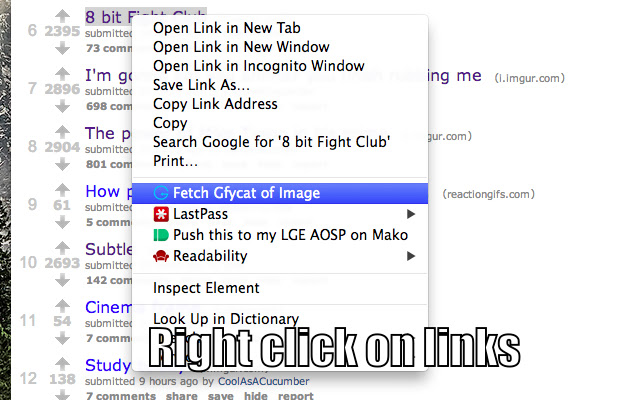
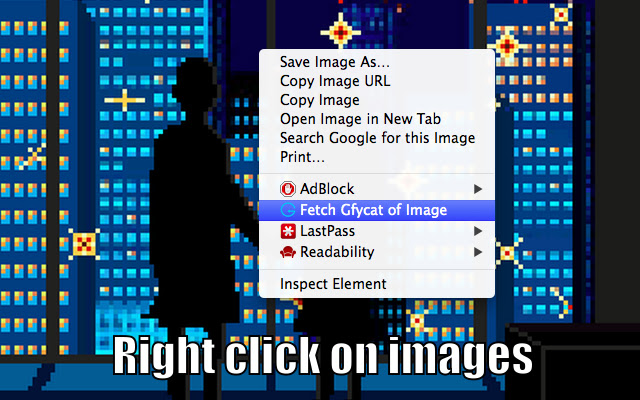
This extension allows you to right click on gifs or links and open them as HTML5 videos via Gfycat.
Wat is GfyFetcher?
GfyFetcher is een Chrome-extensie ontwikkeld door Engstrom, en de belangrijkste functie is "This extension allows you to right click on gifs or links and open them as HTML5 videos via Gfycat.".
Extensie Screenshots
Download het CRX-bestand van de extensie GfyFetcher
Download GfyFetcher-extensiebestanden in crx-indeling, installeer Chrome-extensies handmatig in de browser of deel de crx-bestanden met vrienden om Chrome-extensies eenvoudig te installeren.
Instructies voor het Gebruik van de Extensie
                        Right click on a gif link and open it as an HTML 5 video via Gfycat.

Source code available on GitHub: https://github.com/engstrom/GfyFetcher

# CHANGELOG
-----------
## [0.1.4] - 2015-07-23
### Changed
- Context menu now appears when right clicking on videos. This supports easy conversion of Imgur's .gifv format.
Basisinformatie over de Extensie
| Naam |  GfyFetcher GfyFetcher |
| ID | logiomopdooakjpclhgkgcfoegmecfge |
| Officiële URL | https://chrome.google.com/webstore/detail/gfyfetcher/logiomopdooakjpclhgkgcfoegmecfge |
| Beschrijving | This extension allows you to right click on gifs or links and open them as HTML5 videos via Gfycat. |
| Bestandsgrootte | 434 KB |
| Aantal Installaties | 426 |
| Huidige Versie | 0.1.4 |
| Laatst Bijgewerkt | 2015-07-23 |
| Publicatiedatum | 2015-07-23 |
| Beoordeling | 4.27/5 Totaal 11 Beoordelingen |
| Ontwikkelaar | Engstrom |
| Betalingswijze | free |
| Extensiewebsite | https://github.com/engstrom/GfyFetcher |
| Ondersteunde Talen | en-US |
| manifest.json | |
{
    "update_url": "https:\/\/clients2.google.com\/service\/update2\/crx",
    "manifest_version": 2,
    "name": "GfyFetcher",
    "description": "This extension allows you to right click on gifs or links and open them as HTML5 videos via Gfycat.",
    "version": "0.1.4",
    "background": {
        "page": "src\/bg.html"
    },
    "permissions": [
        "contextMenus"
    ],
    "content_security_policy": "default-src 'self'",
    "icons": {
        "16": "assests\/icon-bitty.png",
        "48": "assests\/icon-small.png",
        "128": "assests\/icon-large.png"
    }
} | |