PDF Bookmark
The easiest way to have all your PDF file organized! Do you want to have all your books in one place with a bookmark in a specific…
Wat is PDF Bookmark?
PDF Bookmark is een Chrome-extensie ontwikkeld door overstudiotech, en de belangrijkste functie is "The easiest way to have all your PDF file organized! Do you want to have all your books in one place with a bookmark in a specific…".
Extensie Screenshots
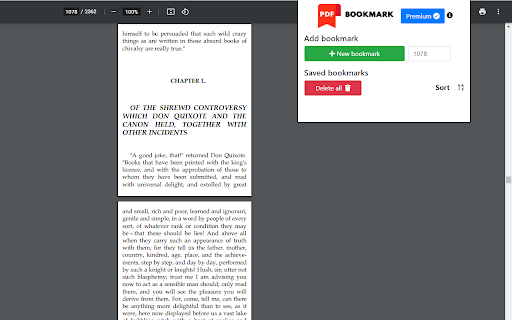
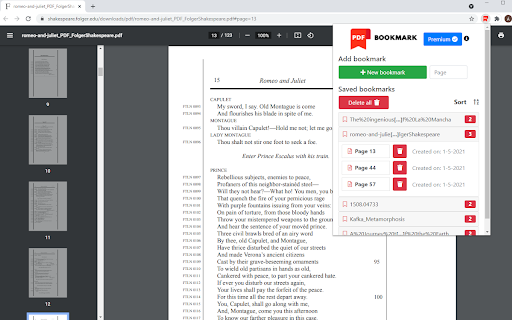

Download het CRX-bestand van de extensie PDF Bookmark
Download PDF Bookmark-extensiebestanden in crx-indeling, installeer Chrome-extensies handmatig in de browser of deel de crx-bestanden met vrienden om Chrome-extensies eenvoudig te installeren.
Instructies voor het Gebruik van de Extensie
                        The easiest way to have all your PDF file organized!

Do you want to have all your books in one place with a bookmark in a specific page?
Are you working on a project with multiple PDF files?

With PDF Bookmark you will be able to:
•    CREATE bookmarks of PDFs on websites or your PC
•    SAVE UNLIMITED pages per book
•    SAVE UNLIMITED PDF files
•    SORT your books alphabetically

Contact us:
- Email: [email protected]
- Website: pdfbookmark.github.io
Basisinformatie over de Extensie
| Naam |  PDF Bookmark PDF Bookmark |
| ID | mcalpfgelkfeonobdckkjgkgmcmjamgb |
| Officiële URL | https://chromewebstore.google.com/detail/pdf-bookmark/mcalpfgelkfeonobdckkjgkgmcmjamgb |
| Beschrijving | The easiest way to have all your PDF file organized! Do you want to have all your books in one place with a bookmark in a specific… |
| Bestandsgrootte | 417 KB |
| Aantal Installaties | 3,123 |
| Huidige Versie | 0.2 |
| Laatst Bijgewerkt | 2021-05-30 |
| Publicatiedatum | 2021-05-17 |
| Beoordeling | 4.50/5 Totaal 8 Beoordelingen |
| Ontwikkelaar | overstudiotech |
| [email protected] | |
| Betalingswijze | in_app |
| Extensiewebsite | https://pdfbookmark.github.io |
| URL van de Privacybeleid Pagina | https://pdfbookmark.github.io/privacy_policy.html |
| Ondersteunde Talen | en |
| manifest.json | |
{
"update_url": "https:\/\/clients2.google.com\/service\/update2\/crx",
"name": "PDF Bookmark",
"version": "0.2",
"manifest_version": 2,
"background": {
"scripts": [
"ExtPay.js",
"background.js"
]
},
"content_scripts": [
{
"matches": [
"https:\/\/extensionpay.com\/*"
],
"js": [
"ExtPay.js"
],
"run_at": "document_start"
},
{
"matches": [
" | |