TFS+
Enhancements to the browser interface for TFS 2013 and 2015.
Wat is TFS+?
TFS+ is een Chrome-extensie ontwikkeld door eakosin, en de belangrijkste functie is "Enhancements to the browser interface for TFS 2013 and 2015.".
Extensie Screenshots


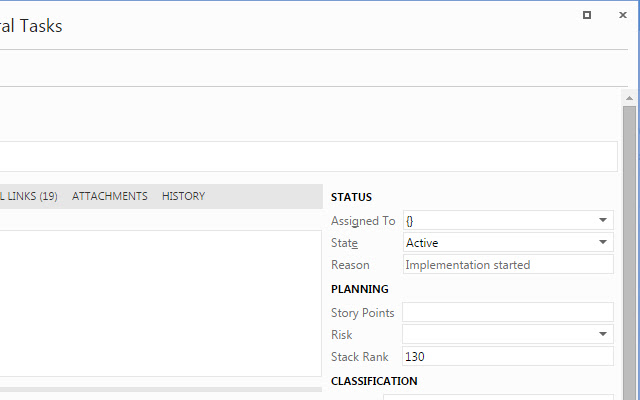
Download het CRX-bestand van de extensie TFS+
Download TFS+-extensiebestanden in crx-indeling, installeer Chrome-extensies handmatig in de browser of deel de crx-bestanden met vrienden om Chrome-extensies eenvoudig te installeren.
Instructies voor het Gebruik van de Extensie
                        TFS 2013 and 2015 Web Interface Improvements

Features:
-Dark Theme
-Vertically Re-sizable Text Boxes
-Maximize/Restore Button for Work Item Dialog Windows

Changed in 0.0.7:
-Added support for TFS 2015.
-Maximize/restore button now works correctly when multiple work item dialog windows are open.
-Corrected some small dark theme issues.

Changed in 0.0.5 and 0.0.6:
-Corrected some dark theme issues.

New in 0.0.4:
-Replaced buggy built-in resize method with custom method that adjusts other page content positioning to prevent overlap.
-Added a maximize/restore button for work item dialog windows
-Corrected some dark theme issues.

Use the TFS+ button to add a website for the extension to modify.

Options:
Sites - One site per line to match against the current page address
Use Dark Theme - Toggles the dark theme for all sites

Sites added with the TFS+ button will be matched only by the DNS address, ignoring the path:
Rule: tfs.example.com
Matches: https://tfs.example.com/tfs/
Fails: https://tfs.example.org/tfs/

Any manual additions to the Sites list will match if it is contained anywhere within the current page address:
Rule: https://tfs.
Matches: https://tfs.example.com/tfs/
Fails: https://www.tfs.example/tfs/

Note: Some functionality may not become active until the page is refreshed.


This extension is not in any way affiliated with Microsoft. All trademarks, including TFS and the Visual Studio Logo are properties of Microsoft.
Basisinformatie over de Extensie
| Naam |  TFS+ TFS+ |
| ID | mkmgiophehinjmcmkdcdpiodoleppcoc |
| Officiële URL | https://chrome.google.com/webstore/detail/tfs+/mkmgiophehinjmcmkdcdpiodoleppcoc |
| Beschrijving | Enhancements to the browser interface for TFS 2013 and 2015. |
| Bestandsgrootte | 39.46 KB |
| Aantal Installaties | 483 |
| Huidige Versie | 0.0.7 |
| Laatst Bijgewerkt | 2016-09-12 |
| Publicatiedatum | 2016-09-12 |
| Beoordeling | 3.57/5 Totaal 7 Beoordelingen |
| Ontwikkelaar | eakosin |
| Betalingswijze | free |
| Ondersteunde Talen | en-US |
| manifest.json | |
{
"update_url": "https:\/\/clients2.google.com\/service\/update2\/crx",
"manifest_version": 2,
"name": "TFS+",
"description": "Enhancements to the browser interface for TFS 2013 and 2015.",
"version": "0.0.7",
"short_name": "TFS+",
"icons": {
"16": "images\/logo16.png",
"32": "images\/logo32.png",
"48": "images\/logo48.png",
"128": "images\/logo128.png"
},
"content_scripts": [
{
"matches": [
" | |