Arrow Browse
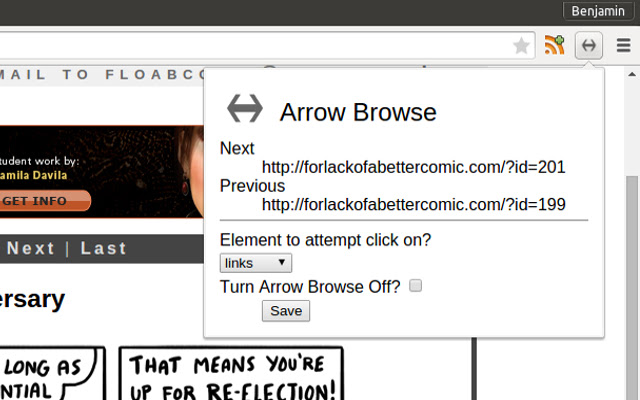
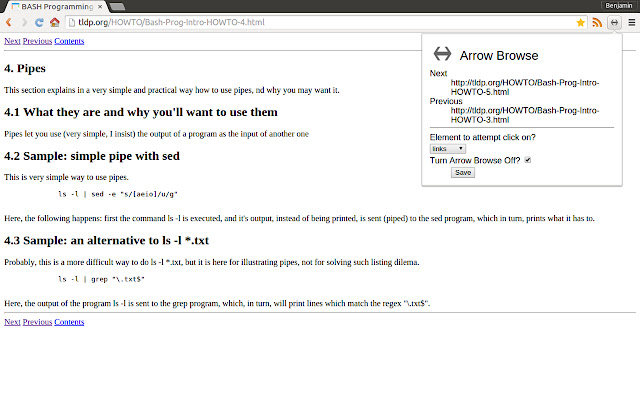
Allows use of arrow keys to move to next and previous pages.
Wat is Arrow Browse?
Arrow Browse is een Chrome-extensie ontwikkeld door benjamin12g, en de belangrijkste functie is "Allows use of arrow keys to move to next and previous pages.".
Extensie Screenshots


Download het CRX-bestand van de extensie Arrow Browse
Download Arrow Browse-extensiebestanden in crx-indeling, installeer Chrome-extensies handmatig in de browser of deel de crx-bestanden met vrienden om Chrome-extensies eenvoudig te installeren.
Instructies voor het Gebruik van de Extensie
                        Searches pages for links or buttons that contain some reference to "next" or "previous" and trigger those links/buttons on the pressing of the left or right arrow keys on the keyboard (left for previous, right for next).

Its great for reading through tutorials, web comics, blogs, video blogs or really any content that comes in a linear series of pages.
Basisinformatie over de Extensie
| Naam |  Arrow Browse Arrow Browse |
| ID | mmnojcmflanomipfjmbmnafphfcigage |
| Officiële URL | https://chrome.google.com/webstore/detail/arrow-browse/mmnojcmflanomipfjmbmnafphfcigage |
| Beschrijving | Allows use of arrow keys to move to next and previous pages. |
| Bestandsgrootte | 11.57 KB |
| Aantal Installaties | 25 |
| Huidige Versie | 1.1.1 |
| Laatst Bijgewerkt | 2015-02-12 |
| Publicatiedatum | 2015-02-12 |
| Beoordeling | 5.00/5 Totaal 3 Beoordelingen |
| Ontwikkelaar | benjamin12g |
| Betalingswijze | free |
| Ondersteunde Talen | en |
| manifest.json | |
{
    "update_url": "https:\/\/clients2.google.com\/service\/update2\/crx",
    "manifest_version": 2,
    "name": "Arrow Browse",
    "options_ui": {
        "page": "options.html",
        "chrome_style": true
    },
    "description": "Allows use of arrow keys to move to next and previous pages.",
    "version": "1.1.1",
    "icons": {
        "16": "icon16.png",
        "48": "icon48.png",
        "128": "icon128.png"
    },
    "browser_action": {
        "default_icon": "icon16.png",
        "default_title": "Arrow Browse",
        "default_popup": "extension.html"
    },
    "content_scripts": [
        {
            "matches": [
                "http:\/\/*\/*"
            ],
            "js": [
                "content.js"
            ]
        }
    ],
    "permissions": [
        "activeTab",
        "storage"
    ]
} | |