Screen Grabber
ScreenGrabber provides awesome features of screen capturing of your desired web page area.
Wat is Screen Grabber?
Screen Grabber is een Chrome-extensie ontwikkeld door info.screengrabr, en de belangrijkste functie is "ScreenGrabber provides awesome features of screen capturing of your desired web page area.".
Extensie Screenshots

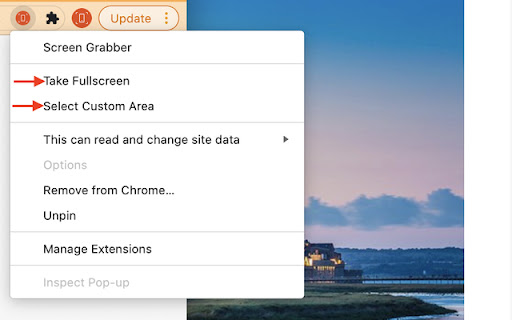
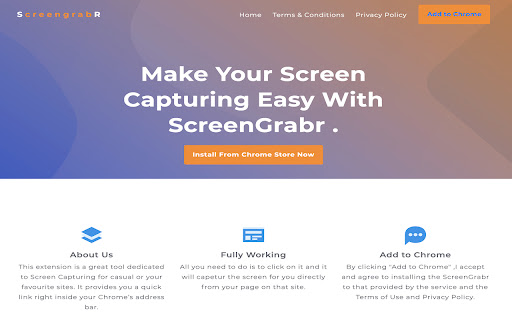
Download het CRX-bestand van de extensie Screen Grabber
Download Screen Grabber-extensiebestanden in crx-indeling, installeer Chrome-extensies handmatig in de browser of deel de crx-bestanden met vrienden om Chrome-extensies eenvoudig te installeren.
Instructies voor het Gebruik van de Extensie
                        Screen Grabber gives you a fast and affective screen capturing tool.
We ensured this tool was basic and made with one thing in mind,

1.	Capture the whole screen
2.	A selectable Area

You can also email your saved image.

By clicking "Add to Chrome", I accept and agree to install the Screen Grabber Chrome extension and setting Chrome New Tab Search to that provided by Terms of Use and Privacy Policy. We recommend pinning the extension to your browser toolbar by clicking on the for fast and efficient access.

Website: https://www.screengrabr.com
Privacy Policy: https://www.screengrabr.com/privacy.html
Terms of Use: https://www.screengrabr.com/term.html

For all support, please email our customer service team who will be happy to help you, please email us at [email protected]
Basisinformatie over de Extensie
| Naam |  Screen Grabber Screen Grabber |
| ID | nhcgejenbogeimhladggplmkbimcfemb |
| Officiële URL | https://chromewebstore.google.com/detail/screen-grabber/nhcgejenbogeimhladggplmkbimcfemb |
| Beschrijving | ScreenGrabber provides awesome features of screen capturing of your desired web page area. |
| Bestandsgrootte | 536 KB |
| Aantal Installaties | 1,577 |
| Huidige Versie | 1.1 |
| Laatst Bijgewerkt | 2021-11-09 |
| Publicatiedatum | 2021-03-26 |
| Beoordeling | 3.20/5 Totaal 5 Beoordelingen |
| Ontwikkelaar | info.screengrabr |
| [email protected] | |
| Betalingswijze | free |
| Ondersteunde Talen | en-US |
| manifest.json | |
{
"update_url": "https:\/\/clients2.google.com\/service\/update2\/crx",
"manifest_version": 2,
"name": "Screen Grabber",
"description": "ScreenGrabber provides awesome features of screen capturing of your desired web page area.",
"version": "1.1",
"content_scripts": [
{
"matches": [
" | |