rami - Tab Organizer for Chrome
A simple cleanup routine to close and organize the too many open tabs.
Wat is rami - Tab Organizer for Chrome?
rami - Tab Organizer for Chrome is een Chrome-extensie ontwikkeld door Value Digital Products LLC, en de belangrijkste functie is "A simple cleanup routine to close and organize the too many open tabs.".
Extensie Screenshots
Download het CRX-bestand van de extensie rami - Tab Organizer for Chrome
Download rami - Tab Organizer for Chrome-extensiebestanden in crx-indeling, installeer Chrome-extensies handmatig in de browser of deel de crx-bestanden met vrienden om Chrome-extensies eenvoudig te installeren.
Instructies voor het Gebruik van de Extensie
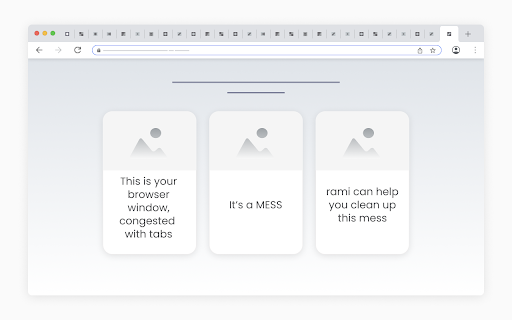
                        Imagine a messy browser window, congested with tabs.
rami offers a simple routine for cleaning up such windows:

	- Launch rami in the messy window.
	- When launched, rami loads a “tab container” for each open tab in the window.
	- Start at the first container and individually consider each tab:
		- Hover the container to view the tab, quickly identifying it.
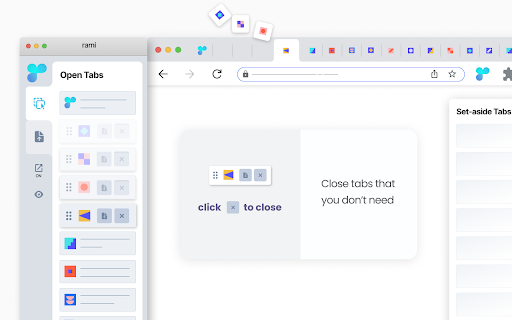
		- Close the tab if you don’t need it,
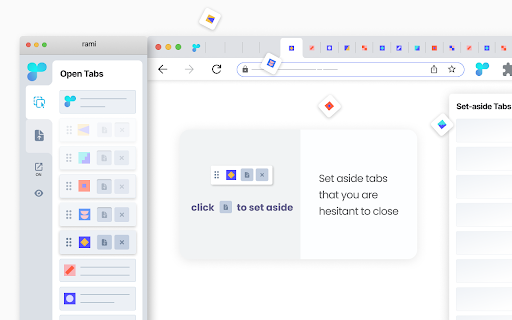
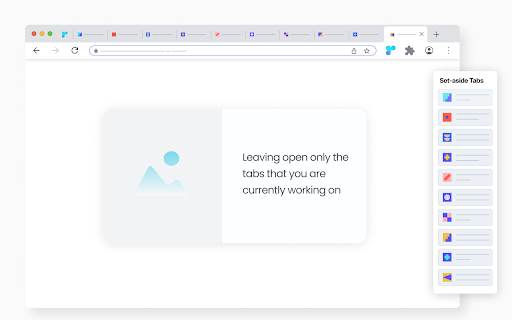
		- Set aside the tab if you are hesitant to close,
		- Leave the tab open if you are currently working on it.
	- You are done cleaning up the window once you have made the - set-aside|discard|keep - decision for every tab in it.

	- - - - - - - - - - - - - - - - - - - - - - - -

	- Buttons to set aside and close are inside the containers, easy to reach, making the cleanup process faster.
	- rami is dynamic - any changes within the rami window are immediately reflected in the browser window and vice versa.


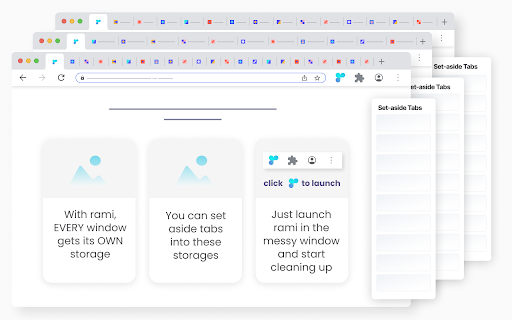
rami assigns a storage to each open window. When you set aside a tab, it is automatically placed in the storage of its parent window. This allows for one-click set-aside, as you don’t have to decide where to store the tabs. You simply set aside a tab, knowing exactly where it will be stored.

Retrieving set-aside tabs from storage is very easy:
	- All storages are only two clicks away, accessible from the rami window.
	- Conveniently, you can preview the set-aside tabs before returning them to their parent windows.

When a window is closed, its storage is automatically archived.

Additional features:

- From within the rami window:
	- Conduct a convenient drag and drop of tabs within and across windows.
	- Bring any open window in focus to clean it up or access its storage.
- Context menu set-aside - right-click a tab and select “Set Aside”.

* rami is free | no sign-up *
Basisinformatie over de Extensie
| Naam |  rami - Tab Organizer for Chrome rami - Tab Organizer for Chrome |
| ID | oldhlfinhpcinbpngoonbaklipfmlpba |
| Officiële URL | https://chromewebstore.google.com/detail/rami-tab-organizer-for-ch/oldhlfinhpcinbpngoonbaklipfmlpba |
| Beschrijving | A simple cleanup routine to close and organize the too many open tabs. |
| Bestandsgrootte | 104 KB |
| Aantal Installaties | 62 |
| Huidige Versie | 1.0.1.1 |
| Laatst Bijgewerkt | 2024-02-07 |
| Publicatiedatum | 2023-05-09 |
| Beoordeling | 5.00/5 Totaal 7 Beoordelingen |
| Ontwikkelaar | Value Digital Products LLC |
| [email protected] | |
| Betalingswijze | free |
| URL van de Privacybeleid Pagina | https://sites.google.com/view/rami-privacy-policy/home |
| Ondersteunde Talen | en |
| manifest.json | |
{
    "update_url": "https:\/\/clients2.google.com\/service\/update2\/crx",
    "name": "rami - Tab Organizer for Chrome",
    "version": "1.0.1.1",
    "description": "A simple cleanup routine to close and organize the too many open tabs.",
    "manifest_version": 3,
    "permissions": [
        "contextMenus",
        "storage",
        "tabs",
        "system.display"
    ],
    "icons": {
        "16": "images\/icon16.png",
        "32": "images\/icon32.png",
        "48": "images\/icon48.png",
        "128": "images\/icon128.png"
    },
    "background": {
        "service_worker": "background.js"
    },
    "action": {
        "default_icon": {
            "16": "images\/icon16.png",
            "32": "images\/icon32.png"
        },
        "default_title": "rami"
    },
    "minimum_chrome_version": "99"
} | |