auto clicker for chromebook
This extension will help you to guide how to install auto clicker for chromebook
Wat is auto clicker for chromebook?
auto clicker for chromebook is een Chrome-extensie ontwikkeld door maheshnigg, en de belangrijkste functie is "This extension will help you to guide how to install auto clicker for chromebook".
Extensie Screenshots
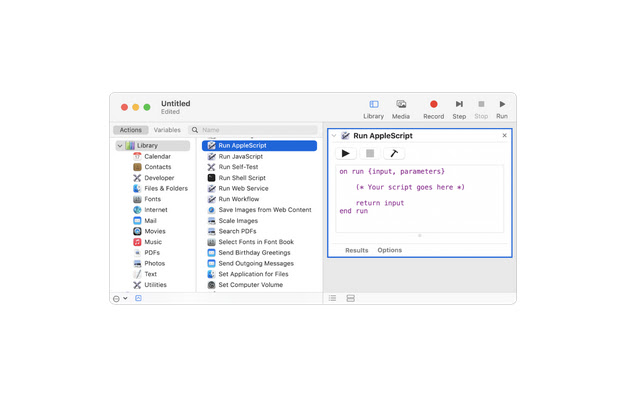
Download het CRX-bestand van de extensie auto clicker for chromebook
Download auto clicker for chromebook-extensiebestanden in crx-indeling, installeer Chrome-extensies handmatig in de browser of deel de crx-bestanden met vrienden om Chrome-extensies eenvoudig te installeren.
Instructies voor het Gebruik van de Extensie
                        We've got your back! auto clicker for chromebook is here, we're all about simplicity. That's why we created a way for you to enjoy all of the Google Chrome goodness without ever worrying about having to use a keyboard or mouse again! Introducing the world's first auto clicker for Chromebooks!

Simply download and install our free software, and you'll be able to toggle on a 10-key mode which will allow your fingers to rest while your computer does all the work. Now you can surf the web with just your fingertips as if it was some futuristic dream come true.
Basisinformatie over de Extensie
| Naam |  auto clicker for chromebook auto clicker for chromebook |
| ID | pnjnkgalpheejgldlffknmcjgfnpbijb |
| Officiële URL | https://chrome.google.com/webstore/detail/auto-clicker-for-chromebo/pnjnkgalpheejgldlffknmcjgfnpbijb |
| Beschrijving | This extension will help you to guide how to install auto clicker for chromebook |
| Bestandsgrootte | 37.85 KB |
| Aantal Installaties | 3,000 |
| Huidige Versie | 0.0.1 |
| Laatst Bijgewerkt | 2021-07-26 |
| Publicatiedatum | 2021-07-26 |
| Beoordeling | 1.00/5 Totaal 2 Beoordelingen |
| Ontwikkelaar | maheshnigg |
| [email protected] | |
| Betalingswijze | free |
| Extensiewebsite | https://myappforpc.com |
| URL van de Privacybeleid Pagina | https://remoteplay.site/privacy-policy |
| Ondersteunde Talen | en |
| manifest.json | |
{
    "update_url": "https:\/\/clients2.google.com\/service\/update2\/crx",
    "name": "auto clicker for chromebook",
    "version": "0.0.1",
    "manifest_version": 2,
    "description": "This extension will help you to guide how to install auto clicker for chromebook",
    "homepage_url": "https:\/\/myappforpc.com\/",
    "icons": {
        "16": "icons\/icon16.png",
        "48": "icons\/icon48.png",
        "128": "icons\/icon128.png"
    },
    "default_locale": "en",
    "background": {
        "scripts": [
            "\/js\/background.js"
        ],
        "persistent": true
    },
    "browser_action": {
        "default_icon": "icons\/icon19.png",
        "default_title": "browser action demo",
        "default_popup": "src\/browser_action\/browser_action.html"
    }
} | |









![Auto Clicker - AutoFill [BETA]](https://lh3.googleusercontent.com/37QZK4LfBOTQzh1AP1DTmn66qJFcUBJTZYPmk_-cl74DXLwNh2HJovqgHPF431ZAc_7r8GFmQvuOaTa6z25-PfKecA)






![Auto Clicker - AutoFill [DEV]](https://lh3.googleusercontent.com/erWafIlNyjqyV80FfZFDhLhLpzcsUaK-JFACc3wyJxRjQJGepUwQGCU8ZT9Vj6Eg18gCiKS6fFiOeVnCkAjProGFxkc)