SkIntro
This extension auto skips intro for streaming services.
Co to jest SkIntro?
SkIntro to rozszerzenie Chrome opracowane przez Rehan Ahmed, a jego główną funkcją jest „This extension auto skips intro for streaming services.”.
Zrzuty ekranu rozszerzenia


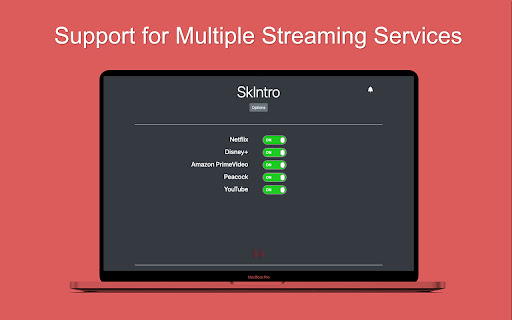
Pobierz plik CRX rozszerzenia SkIntro
Pobierz pliki rozszerzeń SkIntro w formacie crx, zainstaluj ręcznie rozszerzenia Chrome w przeglądarce lub udostępnij pliki crx znajomym, aby łatwo zainstalować rozszerzenia Chrome.
Instrukcja Użytkowania Rozszerzenia
                        Do you always press that "Skip Intro" button when watching a show online? What if there was an app that did that for you?

SkIntro was born out of that idea and it supports auto-skipping intros on multiple streaming services,
- Netflix
- Disney+
- Peacock
- Amazon PrimeVideo

Support for more services is coming soon.

It also works as an ad-blocker by auto-skipping ads on YouTube by pressing the "Skip Ad" button as soon as it appears.
Podstawowe informacje o rozszerzeniu
| Nazwa |  SkIntro SkIntro |
| ID | acjikceibgbijbnhfialnjhilckdajan |
| Oficjalny URL | https://chromewebstore.google.com/detail/skintro/acjikceibgbijbnhfialnjhilckdajan |
| Opis | This extension auto skips intro for streaming services. |
| Rozmiar pliku | 168 KB |
| Liczba instalacji | 465 |
| Aktualna Wersja | 1.1 |
| Ostatnia Aktualizacja | 2021-09-15 |
| Data Publikacji | 2021-07-21 |
| Ocena | 4.20/5 Łącznie 5 Oceny |
| Deweloper | Rehan Ahmed |
| [email protected] | |
| Typ Płatności | free |
| Strona Rozszerzenia | https://github.com/reallyrehan/skintro |
| Adres URL Strony Pomocy | https://github.com/reallyrehan/skintro |
| Obsługiwane Języki | en-US |
| manifest.json | |
{
    "update_url": "https:\/\/clients2.google.com\/service\/update2\/crx",
    "manifest_version": 2,
    "name": "SkIntro",
    "description": "This extension auto skips intro for streaming services.",
    "version": "1.1",
    "icons": {
        "128": "icon.png"
    },
    "options_page": "options.html",
    "browser_action": {
        "default_icon": "images\/icon.png",
        "default_popup": "popup.html"
    },
    "permissions": [
        "tabs",
        "storage"
    ],
    "background": {
        "scripts": [
            "background.js"
        ]
    },
    "content_scripts": [
        {
            "matches": [
                "https:\/\/*.netflix.com\/*",
                "https:\/\/*.amazon.com\/*",
                "https:\/\/*.peacocktv.com\/*",
                "https:\/\/*.disneyplus.com\/*",
                "https:\/\/*.youtube.com\/*"
            ],
            "js": [
                "jquery.min.js",
                "utilities.js"
            ],
            "run_at": "document_end"
        }
    ]
} | |