BitLife Search
Search with BitLife and get the lastest BitLife News!
Co to jest BitLife Search?
BitLife Search to rozszerzenie Chrome opracowane przez Tabs For You, a jego główną funkcją jest „Search with BitLife and get the lastest BitLife News!”.
Zrzuty ekranu rozszerzenia
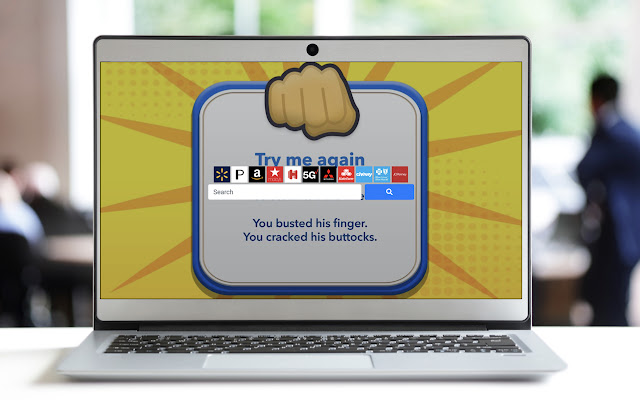

Pobierz plik CRX rozszerzenia BitLife Search
Pobierz pliki rozszerzeń BitLife Search w formacie crx, zainstaluj ręcznie rozszerzenia Chrome w przeglądarce lub udostępnij pliki crx znajomym, aby łatwo zainstalować rozszerzenia Chrome.
Instrukcja Użytkowania Rozszerzenia
                        Search the Web with your Favorite Game: BITLIFE!

This Default Search Extension gives you easy access to the best search and when you click on the icon in toolbar, the LATEST NEWS from BITLIFE!

In order to get the best-related search, this extension updates your browser Omnibox search to allow metadata search for the topic you’ve installed. This extension will become your default search engine
Podstawowe informacje o rozszerzeniu
| Nazwa |  BitLife Search BitLife Search |
| ID | adeagfgipaikhhphfhkhkglaenamkfpb |
| Oficjalny URL | https://chrome.google.com/webstore/detail/bitlife-search/adeagfgipaikhhphfhkhkglaenamkfpb |
| Opis | Search with BitLife and get the lastest BitLife News! |
| Rozmiar pliku | 141 KB |
| Liczba instalacji | 640 |
| Aktualna Wersja | 0.5 |
| Ostatnia Aktualizacja | 2019-10-14 |
| Data Publikacji | 2019-10-14 |
| Ocena | 5.00/5 Łącznie 1 Oceny |
| Deweloper | Tabs For You |
| Typ Płatności | free |
| Adres URL Strony Pomocy | https://www.newtabgallery.com/support |
| Adres URL Strony Polityki Prywatności | https://newtabgallery.com/privacy |
| Obsługiwane Języki | en-US |
| manifest.json | |
{
    "update_url": "https:\/\/clients2.google.com\/service\/update2\/crx",
    "manifest_version": 2,
    "name": "BitLife Search",
    "version": "0.5",
    "description": "Search with BitLife and get the lastest BitLife News!",
    "icons": {
        "16": "icon16.png",
        "32": "icon32.png",
        "48": "icon48.png",
        "128": "icon128.png"
    },
    "background": {
        "scripts": [
            "background.js"
        ]
    },
    "browser_action": {
        "default_title": "BitLife Search",
        "default_icon": {
            "16": "icon16.png",
            "32": "icon32.png"
        }
    },
    "chrome_settings_overrides": {
        "search_provider": {
            "name": "BitLife",
            "keyword": "bitlife",
            "search_url": "https:\/\/search.newtabgallery.com\/bitlife\/?q={searchTerms}",
            "favicon_url": "https:\/\/home.newtabgallery.com\/bitlife\/icon32.png",
            "encoding": "UTF-8",
            "is_default": true
        }
    }
} | |