Toggle YouTube Comments
Hides YouTube comments by default
Co to jest Toggle YouTube Comments?
Toggle YouTube Comments to rozszerzenie Chrome opracowane przez Dennis & Friends, a jego główną funkcją jest „Hides YouTube comments by default”.
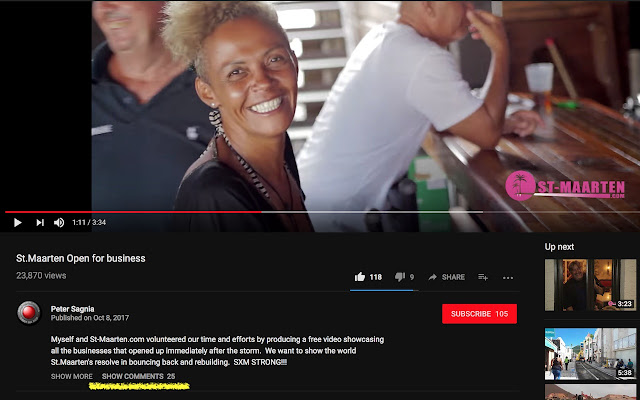
Zrzuty ekranu rozszerzenia


Pobierz plik CRX rozszerzenia Toggle YouTube Comments
Pobierz pliki rozszerzeń Toggle YouTube Comments w formacie crx, zainstaluj ręcznie rozszerzenia Chrome w przeglądarce lub udostępnij pliki crx znajomym, aby łatwo zainstalować rozszerzenia Chrome.
Instrukcja Użytkowania Rozszerzenia
                        Add this lightweight extension to disable/enable YouTube comments.

 • Works with the new and old YouTube
 • Flexibility to easily hide or show comments
 • Blends in with YouTube's user interface
 • Shows number of comments when hidden
 • No tracking, your privacy is important
 • Extremely small size - no bloat
 • Actively maintained
 • Open source code

See https://git.io/v5RgW for release notes.
Podstawowe informacje o rozszerzeniu
| Nazwa |  Toggle YouTube Comments Toggle YouTube Comments |
| ID | ampjnmipdgicjjidohpkidhghakoidfm |
| Oficjalny URL | https://chrome.google.com/webstore/detail/toggle%C2%A0youtube%C2%A0comments/ampjnmipdgicjjidohpkidhghakoidfm |
| Opis | Hides YouTube comments by default |
| Rozmiar pliku | 8.03 KB |
| Liczba instalacji | 479 |
| Aktualna Wersja | 4.1.3 |
| Ostatnia Aktualizacja | 2019-05-06 |
| Data Publikacji | 2019-05-06 |
| Ocena | 3.68/5 Łącznie 38 Oceny |
| Deweloper | Dennis & Friends |
| Typ Płatności | free |
| Strona Rozszerzenia | https://github.com/dideler/toggle-youtube-comments |
| Adres URL Strony Pomocy | https://github.com/dideler/toggle-youtube-comments |
| Obsługiwane Języki | en,ja |
| manifest.json | |
{
    "update_url": "https:\/\/clients2.google.com\/service\/update2\/crx",
    "manifest_version": 2,
    "name": "__MSG_extension_name__",
    "description": "__MSG_extension_desc__",
    "version": "4.1.3",
    "default_locale": "en",
    "icons": {
        "16": "icons\/16.png",
        "32": "icons\/32.png",
        "128": "icons\/128.png"
    },
    "content_scripts": [
        {
            "matches": [
                "http:\/\/*.youtube.com\/*",
                "https:\/\/*.youtube.com\/*"
            ],
            "js": [
                "script.js"
            ],
            "css": [
                "youtube.css"
            ],
            "run_at": "document_end"
        }
    ]
} | |