Window Resizer
Resize browser windows to test layouts on different resolutions with multi-window support.
Co to jest Window Resizer?
Window Resizer to rozszerzenie Chrome opracowane przez https://riangle.com, a jego główną funkcją jest „Resize browser windows to test layouts on different resolutions with multi-window support.”.
Zrzuty ekranu rozszerzenia



Pobierz plik CRX rozszerzenia Window Resizer
Pobierz pliki rozszerzeń Window Resizer w formacie crx, zainstaluj ręcznie rozszerzenia Chrome w przeglądarce lub udostępnij pliki crx znajomym, aby łatwo zainstalować rozszerzenia Chrome.
Instrukcja Użytkowania Rozszerzenia
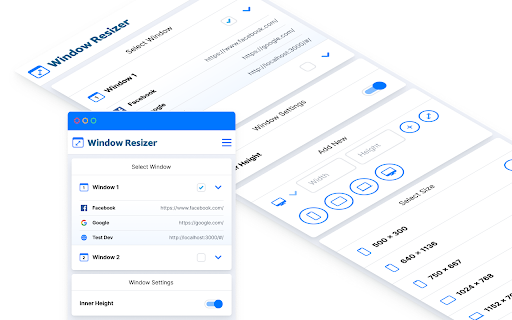
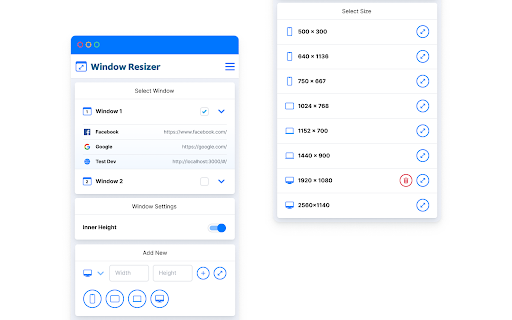
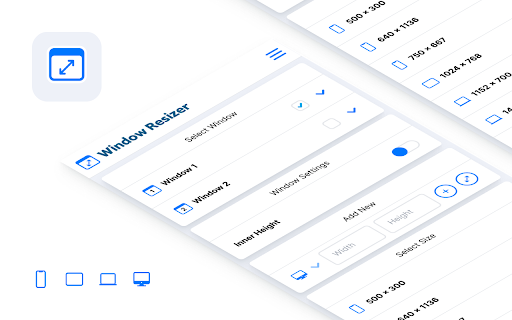
                        Window Resizer is a simple utility tool that allows to resize your Chrome windows to any specific size. It supports multi-window control. It is useful for developers and designers that want to test in various resolutions.

- Precise inner height calculation.
- Add & delete preset sizes.
- Resize specific window.
- Show tabs for open windows.
- Beautiful interface.

This is the first release of Window Resizer, feedback and feature requests are welcome!
We do not track any user information.
Podstawowe informacje o rozszerzeniu
| Nazwa |  Window Resizer Window Resizer |
| ID | cdhnnifbhmggaaehajmgnofcggobfjkp |
| Oficjalny URL | https://chromewebstore.google.com/detail/window-resizer/cdhnnifbhmggaaehajmgnofcggobfjkp |
| Opis | Resize browser windows to test layouts on different resolutions with multi-window support. |
| Rozmiar pliku | 600 KB |
| Liczba instalacji | 1,836 |
| Aktualna Wersja | 0.0.2 |
| Ostatnia Aktualizacja | 2024-03-03 |
| Data Publikacji | 2021-03-24 |
| Ocena | 4.33/5 Łącznie 6 Oceny |
| Deweloper | https://riangle.com |
| [email protected] | |
| Typ Płatności | free |
| Strona Rozszerzenia | https://www.riangle.com/ |
| Adres URL Strony Pomocy | https://www.threads.net/@luangjokaj |
| Adres URL Strony Polityki Prywatności | https://window-resizer.s3.eu-west-1.amazonaws.com/privacy.pdf |
| Obsługiwane Języki | en |
| manifest.json | |
{
    "update_url": "https:\/\/clients2.google.com\/service\/update2\/crx",
    "manifest_version": 2,
    "name": "__MSG_appName__",
    "description": "__MSG_appDesc__",
    "default_locale": "en",
    "version": "0.0.2",
    "minimum_chrome_version": "70",
    "icons": {
        "16": "img\/16.png",
        "32": "img\/32.png",
        "48": "img\/48.png",
        "128": "img\/128.png"
    },
    "background": {
        "scripts": [
            ".\/background.js"
        ]
    },
    "browser_action": {
        "default_icon": "img\/128.png"
    },
    "options_page": "index.html#\/settings",
    "permissions": [
        "tabs",
        "activeTab",
        "storage",
        "http:\/\/*\/*",
        "https:\/\/*\/*"
    ],
    "offline_enabled": true
} | |