Open All Url
This extension Will create mutli urls of Your links and open them in multi tabs in any browsers
Co to jest Open All Url?
Open All Url to rozszerzenie Chrome opracowane przez Waseem Abbas, a jego główną funkcją jest „This extension Will create mutli urls of Your links and open them in multi tabs in any browsers”.
Zrzuty ekranu rozszerzenia
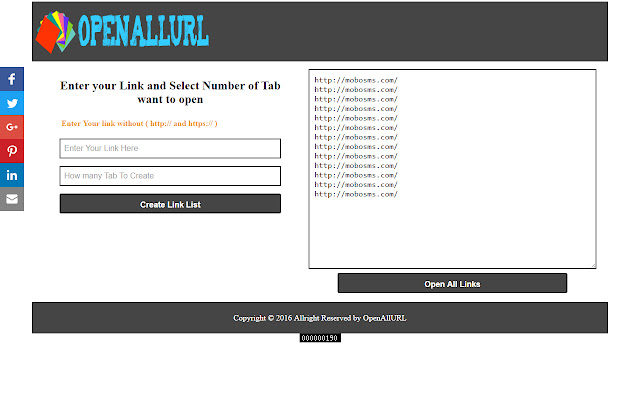
Pobierz plik CRX rozszerzenia Open All Url
Pobierz pliki rozszerzeń Open All Url w formacie crx, zainstaluj ręcznie rozszerzenia Chrome w przeglądarce lub udostępnij pliki crx znajomym, aby łatwo zainstalować rozszerzenia Chrome.
Instrukcja Użytkowania Rozszerzenia
                        OpenAllUrl.com will help you to open multi tab in browser you want to open without
wasting time use of this system is very easy all done in four click
1- First Enter your Link in url input without http:// or https://
2- Second Select Your number to create multiple Links you need
3- Third Click On create List button
4- Fourth look on sight side of website Your Links are created Just Click open List Button You all done.
Podstawowe informacje o rozszerzeniu
| Nazwa |  Open All Url Open All Url |
| ID | clgildpicgiinpjbadggfigcimffdgld |
| Oficjalny URL | https://chrome.google.com/webstore/detail/open-all-url/clgildpicgiinpjbadggfigcimffdgld |
| Opis | This extension Will create mutli urls of Your links and open them in multi tabs in any browsers |
| Rozmiar pliku | 29.82 KB |
| Liczba instalacji | 92 |
| Aktualna Wersja | 1.0 |
| Ostatnia Aktualizacja | 2016-09-17 |
| Data Publikacji | 2016-09-17 |
| Ocena | 2.33/5 Łącznie 3 Oceny |
| Deweloper | Waseem Abbas |
| [email protected] | |
| Typ Płatności | free |
| Obsługiwane Języki | en |
| manifest.json | |
{
    "update_url": "https:\/\/clients2.google.com\/service\/update2\/crx",
    "manifest_version": 2,
    "name": "Open All Url",
    "description": "This extension Will create mutli urls of Your links and open them in multi tabs in any browsers",
    "version": "1.0",
    "browser_action": {
        "default_icon": "icon.png",
        "default_popup": "popup.html"
    },
    "permissions": [
        "activeTab",
        "https:\/\/ajax.googleapis.com\/"
    ]
} | |