Transformers Gallery
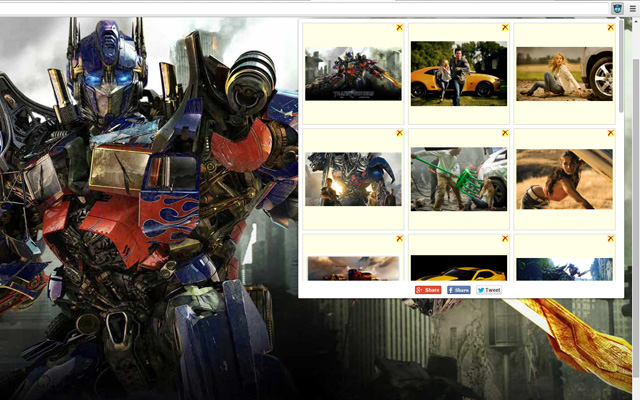
Transformers Gallery shows photos about science fiction action autobots films.
Co to jest Transformers Gallery?
Transformers Gallery to rozszerzenie Chrome opracowane przez pictures and images, a jego główną funkcją jest „Transformers Gallery shows photos about science fiction action autobots films.”.
Zrzuty ekranu rozszerzenia
Pobierz plik CRX rozszerzenia Transformers Gallery
Pobierz pliki rozszerzeń Transformers Gallery w formacie crx, zainstaluj ręcznie rozszerzenia Chrome w przeglądarce lub udostępnij pliki crx znajomym, aby łatwo zainstalować rozszerzenia Chrome.
Instrukcja Użytkowania Rozszerzenia
Transformers fun extension includes image gallery about Transformers film, Age of Extinction, cybertron, car robot toys, Shia LaBeouf, Megan Fox, Rachael Taylor. Then app provides the function 'Add photo' from any website only one click right mouse. Click to picture and click Add to Transformers Gallery. Podstawowe informacje o rozszerzeniu
| Nazwa |  Transformers Gallery Transformers Gallery |
| ID | dalkmncjflickkogopmafhhhckgbeega |
| Oficjalny URL | https://chrome.google.com/webstore/detail/transformers-gallery/dalkmncjflickkogopmafhhhckgbeega |
| Opis | Transformers Gallery shows photos about science fiction action autobots films. |
| Rozmiar pliku | 96.87 KB |
| Liczba instalacji | 151 |
| Aktualna Wersja | 1.0 |
| Ostatnia Aktualizacja | 2015-12-04 |
| Data Publikacji | 2015-12-02 |
| Ocena | 3.67/5 Łącznie 3 Oceny |
| Deweloper | pictures and images |
| Typ Płatności | free |
| Obsługiwane Języki | en |
| manifest.json | |
{
    "update_url": "https:\/\/clients2.google.com\/service\/update2\/crx",
    "name": "Transformers Gallery",
    "description": "Transformers Gallery shows photos about science fiction action autobots films.",
    "version": "1.0",
    "manifest_version": 2,
    "background": {
        "scripts": [
            "jquery.js",
            "conf.js",
            "background.js"
        ]
    },
    "browser_action": {
        "default_icon": "img_sep\/ico_19.png",
        "default_popup": "popup.html"
    },
    "options_page": "options.html",
    "content_security_policy": "script-src 'self'; object-src 'self'",
    "permissions": [
        "tabs",
        "http:\/\/*\/*",
        "https:\/\/*\/*",
        "contextMenus",
        "notifications",
        "unlimitedStorage"
    ],
    "icons": {
        "16": "img_sep\/ico_16.png",
        "48": "img_sep\/ico_48.png"
    }
} | |