MD-Staff Verification Print & Upload
Print to PDF from any primary source and upload it directly to MD-Staff.
Co to jest MD-Staff Verification Print & Upload?
MD-Staff Verification Print & Upload to rozszerzenie Chrome opracowane przez https://www.mdstaff.com, a jego główną funkcją jest „Print to PDF from any primary source and upload it directly to MD-Staff.”.
Zrzuty ekranu rozszerzenia

Pobierz plik CRX rozszerzenia MD-Staff Verification Print & Upload
Pobierz pliki rozszerzeń MD-Staff Verification Print & Upload w formacie crx, zainstaluj ręcznie rozszerzenia Chrome w przeglądarce lub udostępnij pliki crx znajomym, aby łatwo zainstalować rozszerzenia Chrome.
Instrukcja Użytkowania Rozszerzenia
                        An easy and quick way to capture any primary source credential and store it in MD-Staff.

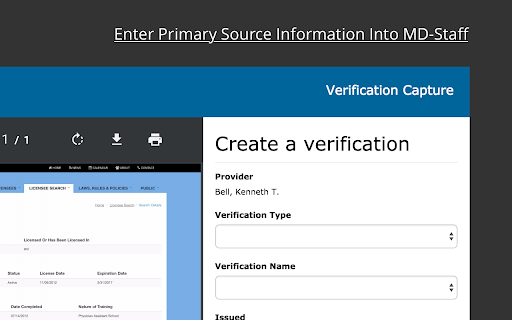
An easy way to capture primary source credentials as PDFs and store them in MD-Staff. It doesn't matter if the website is behind a paywall or behind a captcha, this chrome extension will capture the current page as a pdf and allow you to save it to MD-Staff along with expiration dates, issued dates and credential status.
Podstawowe informacje o rozszerzeniu
| Nazwa |  MD-Staff Verification Print & Upload MD-Staff Verification Print & Upload |
| ID | damlgjaejablnjjkoehebfpdcolhkklj |
| Oficjalny URL | https://chromewebstore.google.com/detail/md-staff-verification-pri/damlgjaejablnjjkoehebfpdcolhkklj |
| Opis | Print to PDF from any primary source and upload it directly to MD-Staff. |
| Rozmiar pliku | 844 KB |
| Liczba instalacji | 10,971 |
| Aktualna Wersja | 3.0 |
| Ostatnia Aktualizacja | 2021-06-09 |
| Data Publikacji | 2017-03-28 |
| Ocena | 5.00/5 Łącznie 2 Oceny |
| Deweloper | https://www.mdstaff.com |
| [email protected] | |
| Typ Płatności | free |
| Adres URL Strony Polityki Prywatności | https://www.mdstaff.com/privacy-policy |
| Obsługiwane Języki | en |
| manifest.json | |
{
"update_url": "https:\/\/clients2.google.com\/service\/update2\/crx",
"manifest_version": 2,
"name": "MD-Staff Verification Print & Upload",
"description": "Print to PDF from any primary source and upload it directly to MD-Staff.",
"version": "3.0",
"icons": {
"16": "images\/icon16.png",
"48": "images\/icon48.png",
"128": "images\/icon128.png"
},
"default_locale": "en",
"background": {
"scripts": [
"scripts\/background.js"
]
},
"permissions": [
"activeTab",
"notifications",
"storage",
"tabs",
"webRequest",
"*:\/\/*\/",
"*:\/\/tm1devlt01-vm\/",
"*:\/\/localhost\/",
"*:\/\/login.mdstaff.com\/",
" | |