Task Timeline
Organizing the day to day task activity and Manage your time.
Co to jest Task Timeline?
Task Timeline to rozszerzenie Chrome opracowane przez Sridhar, a jego główną funkcją jest „Organizing the day to day task activity and Manage your time.”.
Zrzuty ekranu rozszerzenia


Pobierz plik CRX rozszerzenia Task Timeline
Pobierz pliki rozszerzeń Task Timeline w formacie crx, zainstaluj ręcznie rozszerzenia Chrome w przeglądarce lub udostępnij pliki crx znajomym, aby łatwo zainstalować rozszerzenia Chrome.
Instrukcja Użytkowania Rozszerzenia
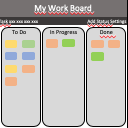
                        Organizing your task day to day task. Overview your tasks in a calendar.  Your data is stored in chrome browser. This extension helps to manage your workflow.
Simple UI make to use efficient and user-friendly.

Feature:
User-friendly.
No need to create an account.
Your data is secure, Its stored in your chrome browser itself.

Version:
1.0.0 - Task list.
1.1.0 - Task update for list.
1.2.0 - Month issue solved and duplicate skip.
1.3.0 - Chrome mapping issue solved.
1.4.0 - Theme Updated.
2.0.0 - Timer and Task Overview added.
2.1.0 - Chrome Storage issue solved and Timer removed.
2.2.0 - Overview chart changes update added.
2.3.0 - Overview issue fixed and css updated.
2.4.0 - List ordered in Ascending.
2.5.0 - Overview graph issue fixed.
2.6.0 - Graph order issue fixed.
Podstawowe informacje o rozszerzeniu
| Nazwa |  Task Timeline Task Timeline |
| ID | dokmpfkihfmpflmfmincimolaonbmkeo |
| Oficjalny URL | https://chrome.google.com/webstore/detail/task-timeline/dokmpfkihfmpflmfmincimolaonbmkeo |
| Opis | Organizing the day to day task activity and Manage your time. |
| Rozmiar pliku | 637 KB |
| Liczba instalacji | 263 |
| Aktualna Wersja | 2.6.0 |
| Ostatnia Aktualizacja | 2018-11-27 |
| Data Publikacji | 2018-11-27 |
| Ocena | 4.00/5 Łącznie 4 Oceny |
| Deweloper | Sridhar |
| Typ Płatności | free |
| Obsługiwane Języki | en |
| manifest.json | |
{
    "update_url": "https:\/\/clients2.google.com\/service\/update2\/crx",
    "name": "Task Timeline",
    "version": "2.6.0",
    "short_name": "Task Timeline",
    "description": "Organizing the day to day task activity and Manage your time.",
    "permissions": [
        "storage",
        "tabs",
        "notifications"
    ],
    "chrome_url_overrides": {
        "newtab": "index.html"
    },
    "background": {
        "scripts": [
            "background.js"
        ],
        "persistent": false
    },
    "page_action": {
        "default_icon": {
            "16": "images\/task_16.png",
            "32": "images\/task_32.png",
            "48": "images\/task_48.png",
            "128": "images\/task_128.png"
        }
    },
    "icons": {
        "16": "images\/task_16.png",
        "32": "images\/task_32.png",
        "48": "images\/task_48.png",
        "128": "images\/task_128.png"
    },
    "manifest_version": 2
} | |