Locker Extension
Add current URL to Locker.
Co to jest Locker Extension?
Locker Extension to rozszerzenie Chrome opracowane przez http://getlocker.herokuapp.com, a jego główną funkcją jest „Add current URL to Locker.”.
Zrzuty ekranu rozszerzenia

Pobierz plik CRX rozszerzenia Locker Extension
Pobierz pliki rozszerzeń Locker Extension w formacie crx, zainstaluj ręcznie rozszerzenia Chrome w przeglądarce lub udostępnij pliki crx znajomym, aby łatwo zainstalować rozszerzenia Chrome.
Instrukcja Użytkowania Rozszerzenia
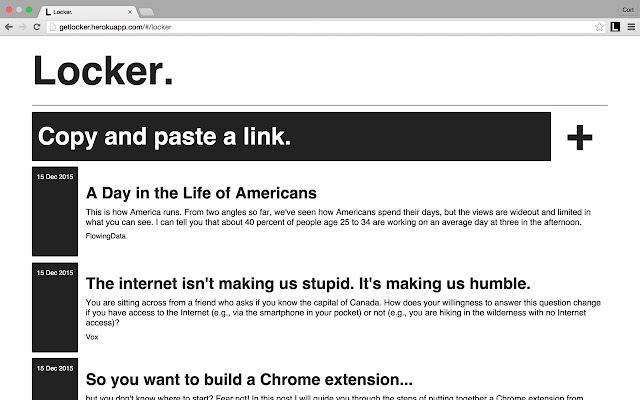
                        Locker Extension is for users of the Locker web app. By adding this extension they can add a URL to their Locker from anywhere on the web just by clicking and verifying their email address.

When returning to getlocker.herokuapp.com, users will see that all Items successfully added to Locker via the extension will be at the top of their list.
Podstawowe informacje o rozszerzeniu
| Nazwa |  Locker Extension Locker Extension |
| ID | echcameeafciikhiedhllacbfkoialdp |
| Oficjalny URL | https://chrome.google.com/webstore/detail/locker-extension/echcameeafciikhiedhllacbfkoialdp |
| Opis | Add current URL to Locker. |
| Rozmiar pliku | 11.7 KB |
| Liczba instalacji | 123 |
| Aktualna Wersja | 0.3 |
| Ostatnia Aktualizacja | 2015-12-15 |
| Data Publikacji | 2015-12-15 |
| Deweloper | http://getlocker.herokuapp.com |
| Typ Płatności | free |
| Obsługiwane Języki | en |
| manifest.json | |
{
    "update_url": "https:\/\/clients2.google.com\/service\/update2\/crx",
    "manifest_version": 2,
    "name": "Locker Extension",
    "version": "0.3",
    "description": "Add current URL to Locker.",
    "icons": {
        "48": "icon48.png",
        "128": "icon128.png"
    },
    "background": {
        "scripts": [
            "event.js"
        ],
        "persistent": false
    },
    "browser_action": {
        "default_icon": "icon128.png",
        "default_popup": "popup.html"
    },
    "permissions": [
        "tabs",
        "http:\/\/*\/*",
        "https:\/\/*\/*"
    ]
} | |