Timer Mulp
Make Timer great again.
Co to jest Timer Mulp?
Timer Mulp to rozszerzenie Chrome opracowane przez Gilnom, a jego główną funkcją jest „Make Timer great again.”.
Zrzuty ekranu rozszerzenia

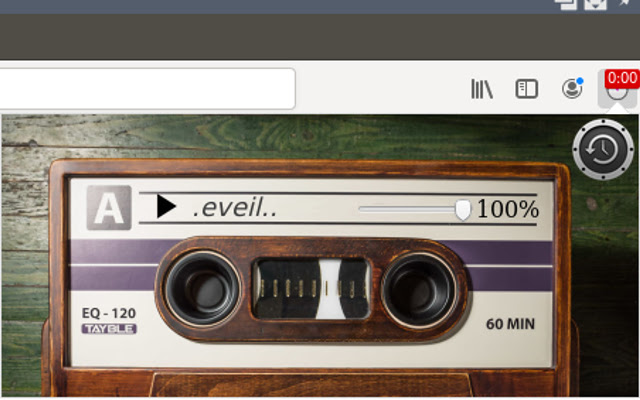
Pobierz plik CRX rozszerzenia Timer Mulp
Pobierz pliki rozszerzeń Timer Mulp w formacie crx, zainstaluj ręcznie rozszerzenia Chrome w przeglądarce lub udostępnij pliki crx znajomym, aby łatwo zainstalować rozszerzenia Chrome.
Instrukcja Użytkowania Rozszerzenia
                        The timer is easy to use. Has:

1.  2 types of time input.
2.  Displays the remaining time on the expansion icon.
3.  5 different timers independent of each other.
Podstawowe informacje o rozszerzeniu
| Nazwa |  Timer Mulp Timer Mulp |
| ID | ecnepgmnbjpnkpjmojhkbdboocldoccd |
| Oficjalny URL | https://chrome.google.com/webstore/detail/timer-mulp/ecnepgmnbjpnkpjmojhkbdboocldoccd |
| Opis | Make Timer great again. |
| Rozmiar pliku | 3.68 MB |
| Liczba instalacji | 47 |
| Aktualna Wersja | 1.2 |
| Ostatnia Aktualizacja | 2020-10-24 |
| Data Publikacji | 2019-07-30 |
| Deweloper | Gilnom |
| [email protected] | |
| Typ Płatności | free |
| Obsługiwane Języki | en |
| manifest.json | |
{
    "update_url": "https:\/\/clients2.google.com\/service\/update2\/crx",
    "manifest_version": 2,
    "name": "Timer Mulp",
    "version": "1.2",
    "description": "Make Timer great again.",
    "icons": {
        "48": "icons\/stopwatch482.png",
        "96": "icons\/stopwatch962.png",
        "128": "icons\/stopwatch1282.png"
    },
    "browser_action": {
        "default_title": "Timer",
        "default_popup": "popup\/Timer.html"
    },
    "permissions": [
        "storage",
        "notifications",
        "tabs"
    ],
    "web_accessible_resources": [
        "icons\/elk.png",
        "icons\/play.png"
    ],
    "background": {
        "page": "popup\/nothi.html"
    }
} | |