Grade Calculator for Blackboard Learn
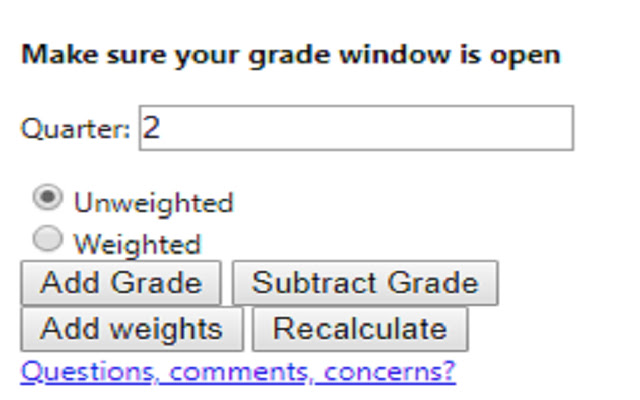
Find out what your grade would be with certain assignments added.
Co to jest Grade Calculator for Blackboard Learn?
Grade Calculator for Blackboard Learn to rozszerzenie Chrome opracowane przez Rohan Mathur, a jego główną funkcją jest „Find out what your grade would be with certain assignments added.”.
Zrzuty ekranu rozszerzenia

Pobierz plik CRX rozszerzenia Grade Calculator for Blackboard Learn
Pobierz pliki rozszerzeń Grade Calculator for Blackboard Learn w formacie crx, zainstaluj ręcznie rozszerzenia Chrome w przeglądarce lub udostępnij pliki crx znajomym, aby łatwo zainstalować rozszerzenia Chrome.
Instrukcja Użytkowania Rozszerzenia
                        **MAJOR UPDATE**
I MADE AN ACTUAL GUI!! This is now an actually usable chrome extension and something I'm actually kind of proud of. I hope everyone finds it useful!

Thanks,
Rohan

This extension is meant to help you figure out what your total grade would be after an assignment is entered into the grade book.

Feedback Form:
https://goo.gl/forms/1fpCghIIhv49VfTr1
Podstawowe informacje o rozszerzeniu
| Nazwa |  Grade Calculator for Blackboard Learn Grade Calculator for Blackboard Learn |
| ID | eohcolhmjdncdmicjibnnjfocokolonj |
| Oficjalny URL | https://chrome.google.com/webstore/detail/grade-calculator-for-blac/eohcolhmjdncdmicjibnnjfocokolonj |
| Opis | Find out what your grade would be with certain assignments added. |
| Rozmiar pliku | 71.73 KB |
| Liczba instalacji | 435 |
| Aktualna Wersja | 4.0.0 |
| Ostatnia Aktualizacja | 2019-11-25 |
| Data Publikacji | 2019-11-21 |
| Ocena | 5.00/5 Łącznie 3 Oceny |
| Deweloper | Rohan Mathur |
| Typ Płatności | free |
| Adres URL Strony Pomocy | https://goo.gl/forms/1fpCghIIhv49VfTr1 |
| Obsługiwane Języki | en |
| manifest.json | |
{
    "update_url": "https:\/\/clients2.google.com\/service\/update2\/crx",
    "name": "Grade Calculator for Blackboard Learn",
    "version": "4.0.0",
    "manifest_version": 2,
    "description": "Find out what your grade would be with certain assignments added.",
    "browser_action": {
        "default_icon": "icon.png",
        "default_popup": "index.html"
    },
    "icons": {
        "16": "icon.png",
        "48": "icon.png",
        "128": "icon.png"
    },
    "permissions": [
        "tabs",
        "activeTab"
    ]
} | |