Sexy beauty new tab photography HD theme
Every time you open a new tab, you will get different HD wallpapers for sexy girls. This new theme includes clock and more.
Co to jest Sexy beauty new tab photography HD theme?
Sexy beauty new tab photography HD theme to rozszerzenie Chrome opracowane przez http://mytab.me, a jego główną funkcją jest „Every time you open a new tab, you will get different HD wallpapers for sexy girls. This new theme includes clock and more.”.
Zrzuty ekranu rozszerzenia
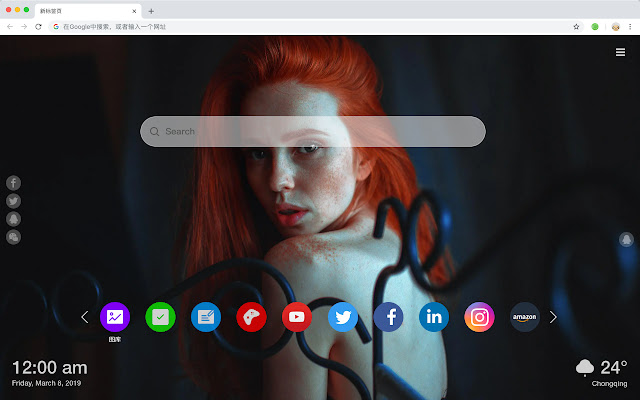


Pobierz plik CRX rozszerzenia Sexy beauty new tab photography HD theme
Pobierz pliki rozszerzeń Sexy beauty new tab photography HD theme w formacie crx, zainstaluj ręcznie rozszerzenia Chrome w przeglądarce lub udostępnij pliki crx znajomym, aby łatwo zainstalować rozszerzenia Chrome.
Instrukcja Użytkowania Rozszerzenia
                        您将获得如下新功能:
 - 待办事项清单
 - 设置收藏你的最爱壁纸
 - 发现新的热门
 - 书签
 - 社交网络通知
 - 每个新标签的高品质壁纸
 - 时钟,显示日期和时间
 - 天气小工具
 - 打开即可搜索
Podstawowe informacje o rozszerzeniu
| Nazwa |  Sexy beauty new tab photography HD theme Sexy beauty new tab photography HD theme |
| ID | epakihciibmjdidpcemdabpkkmejpned |
| Oficjalny URL | https://chrome.google.com/webstore/detail/sexy-beauty-new-tab-photo/epakihciibmjdidpcemdabpkkmejpned |
| Opis | Every time you open a new tab, you will get different HD wallpapers for sexy girls. This new theme includes clock and more. |
| Rozmiar pliku | 41.65 KB |
| Liczba instalacji | 125 |
| Aktualna Wersja | 1.1.0.0 |
| Ostatnia Aktualizacja | 2019-05-22 |
| Data Publikacji | 2019-05-22 |
| Deweloper | http://mytab.me |
| Typ Płatności | free |
| Obsługiwane Języki | en,zh-CN,zh-TW |
| manifest.json | |
{
    "name": "__MSG_ext_name__",
    "manifest_version": 2,
    "description": "__MSG_ext_desc__",
    "browser_action": {
        "default_icon": {
            "48": "icons\/48.png"
        },
        "default_title": "__MSG_ext_name__"
    },
    "chrome_url_overrides": {
        "newtab": "pages\/newtab\/index.html"
    },
    "background": {
        "scripts": [
            "app.js",
            "pages\/background\/index.js"
        ],
        "persistent": false
    },
    "default_locale": "en",
    "icons": {
        "48": "icons\/48.png",
        "128": "icons\/128.png"
    },
    "minimum_chrome_version": "57",
    "offline_enabled": true,
    "update_url": "https:\/\/clients2.google.com\/service\/update2\/crx",
    "version": "1.1.0.0"
} | |