Direct Links for Ebay/Paypal/Amazon.
Quick links to Ebay, Paypal, Amazon websites for easy use.
Co to jest Direct Links for Ebay/Paypal/Amazon.?
Direct Links for Ebay/Paypal/Amazon. to rozszerzenie Chrome opracowane przez Robert Rioja (miapuffia), a jego główną funkcją jest „Quick links to Ebay, Paypal, Amazon websites for easy use.”.
Zrzuty ekranu rozszerzenia


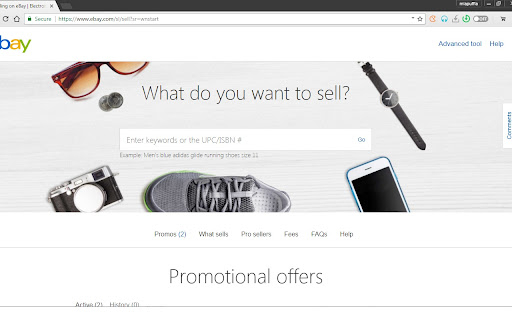
Pobierz plik CRX rozszerzenia Direct Links for Ebay/Paypal/Amazon.
Pobierz pliki rozszerzeń Direct Links for Ebay/Paypal/Amazon. w formacie crx, zainstaluj ręcznie rozszerzenia Chrome w przeglądarce lub udostępnij pliki crx znajomym, aby łatwo zainstalować rozszerzenia Chrome.
Instrukcja Użytkowania Rozszerzenia
                        By clicking this extension, you will see links to...

eBay.com
My Account
Watchlist
Wishlist
Cart
Active Items
Sold Items
Messages
Purchase History

Summary
Activity
Transfer
Wallet
Deals

Amazon.com
My Account
Lists
Cart
Order History
Amazon Smile

This extension is not affiliated with eBay, PayPal, or Amazon, and is to be used in conjunction with the aforementioned companies' websites.

If you have any questions, comments, or suggestions, fell free to email me at [email protected] and thank you for viewing my extension!
Podstawowe informacje o rozszerzeniu
| Nazwa |  Direct Links for Ebay/Paypal/Amazon. Direct Links for Ebay/Paypal/Amazon. |
| ID | ffpjegijenjngmidlmahaekajbhhdmml |
| Oficjalny URL | https://chromewebstore.google.com/detail/direct-links-for-ebaypayp/ffpjegijenjngmidlmahaekajbhhdmml |
| Opis | Quick links to Ebay, Paypal, Amazon websites for easy use. |
| Rozmiar pliku | 42.64 KB |
| Liczba instalacji | 2,762 |
| Aktualna Wersja | 6.1 |
| Ostatnia Aktualizacja | 2018-10-12 |
| Data Publikacji | 2018-10-11 |
| Ocena | 4.45/5 Łącznie 42 Oceny |
| Deweloper | Robert Rioja (miapuffia) |
| [email protected] | |
| Typ Płatności | free |
| Obsługiwane Języki | en |
| manifest.json | |
{
    "update_url": "https:\/\/clients2.google.com\/service\/update2\/crx",
    "manifest_version": 2,
    "name": "Direct Links for Ebay\/Paypal\/Amazon.",
    "version": "6.1",
    "description": "Quick links to Ebay, Paypal, Amazon websites for easy use.",
    "icons": {
        "128": "icon1.png"
    },
    "browser_action": {
        "default_icon": "icon2.png",
        "default_popup": "popup.html"
    }
} | |