Block Quora Login Popup
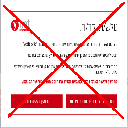
Automatically block the Quora login popup.
Co to jest Block Quora Login Popup?
Block Quora Login Popup to rozszerzenie Chrome opracowane przez http://niftylettuce.com, a jego główną funkcją jest „Automatically block the Quora login popup.”.
Zrzuty ekranu rozszerzenia

Pobierz plik CRX rozszerzenia Block Quora Login Popup
Pobierz pliki rozszerzeń Block Quora Login Popup w formacie crx, zainstaluj ręcznie rozszerzenia Chrome w przeglądarce lub udostępnij pliki crx znajomym, aby łatwo zainstalować rozszerzenia Chrome.
Instrukcja Użytkowania Rozszerzenia
                        This extension automatically removes the annoying login popup at Quora.  If you'd like to still log in, simply click the "Log In" link at the top right of Quora's website.

Please submit any issues to our Github repository page.

Follow @niftylettuce on Twitter for updates.

*************
* CHANGELOG *
*************

0.0.5: fixed blocker to work with ?share=1, added Grunt to compress and reduce extension's package file size considerably

0.0.4: fixed bug for installer

0.0.3: removed jQuery, removal is much faster now, added ?ref=fb add in case you are not redirected from FB it will add/remove the popup and show all content for a hacky workaround

0.0.2: fixed a few bugs

0.0.1: initial release
Podstawowe informacje o rozszerzeniu
| Nazwa |  Block Quora Login Popup Block Quora Login Popup |
| ID | fkbnfnaikpdihahjljbigedkangbieih |
| Oficjalny URL | https://chrome.google.com/webstore/detail/block-quora-login-popup/fkbnfnaikpdihahjljbigedkangbieih |
| Opis | Automatically block the Quora login popup. |
| Rozmiar pliku | 11.63 KB |
| Liczba instalacji | 1,987 |
| Aktualna Wersja | 0.0.5 |
| Ostatnia Aktualizacja | 2014-05-09 |
| Data Publikacji | 2014-05-09 |
| Ocena | 3.60/5 Łącznie 15 Oceny |
| Deweloper | http://niftylettuce.com |
| Typ Płatności | free |
| Strona Rozszerzenia | https://github.com/niftylettuce/block-quora-login-popup |
| Adres URL Strony Pomocy | https://github.com/niftylettuce/block-quora-login-popup/issues |
| Obsługiwane Języki | en-US |
| manifest.json | |
{
    "name": "Block Quora Login Popup",
    "version": "0.0.5",
    "manifest_version": 2,
    "description": "Automatically block the Quora login popup.",
    "homepage_url": "https:\/\/github.com\/niftylettuce\/block-quora-login-popup",
    "icons": {
        "16": "icons\/icon16.png",
        "48": "icons\/icon48.png",
        "128": "icons\/icon128.png"
    },
    "browser_action": {
        "default_title": "Block Quora Login Popup",
        "default_icon": "icons\/icon19.png",
        "default_popup": "src\/popup.html"
    },
    "background": {
        "scripts": [
            "src\/bg\/background.js",
            "src\/bg\/google-analytics.js"
        ],
        "persistent": true
    },
    "update_url": "https:\/\/clients2.google.com\/service\/update2\/crx",
    "content_scripts": [
        {
            "matches": [
                "http:\/\/quora.com\/*",
                "https:\/\/quora.com\/*",
                "http:\/\/www.quora.com\/*",
                "https:\/\/www.quora.com\/*"
            ],
            "js": [
                "src\/inject\/inject.js"
            ]
        }
    ],
    "content_security_policy": "script-src 'self' https:\/\/ssl.google-analytics.com; object-src 'self'",
    "web_accessible_resources": [
        "icons\/icon48.png"
    ]
} | |