ChatGPT Screentshot
Add a button to download full screenshot of ChatGPT conversation
Co to jest ChatGPT Screentshot?
ChatGPT Screentshot to rozszerzenie Chrome opracowane przez landicefu, a jego główną funkcją jest „Add a button to download full screenshot of ChatGPT conversation”.
Zrzuty ekranu rozszerzenia
Pobierz plik CRX rozszerzenia ChatGPT Screentshot
Pobierz pliki rozszerzeń ChatGPT Screentshot w formacie crx, zainstaluj ręcznie rozszerzenia Chrome w przeglądarce lub udostępnij pliki crx znajomym, aby łatwo zainstalować rozszerzenia Chrome.
Instrukcja Użytkowania Rozszerzenia
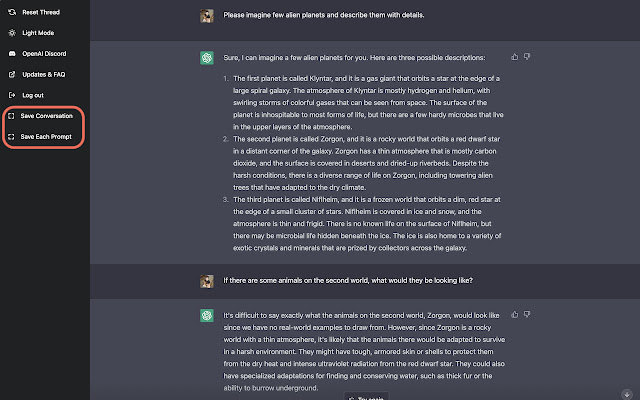
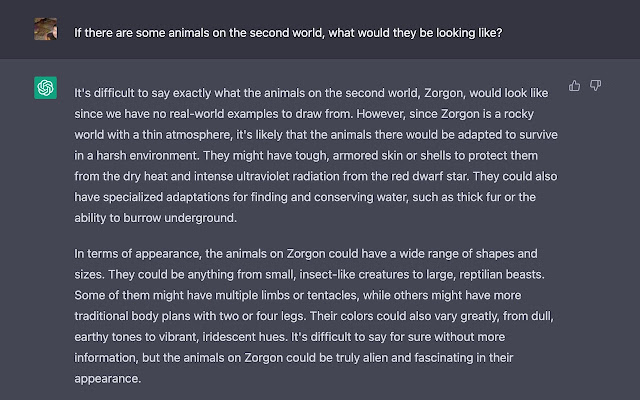
                        Add two buttons to Chat GPT sidebar. One for downloading the whole conversation as a JPEG file. The other button allows you to download each prompt and answer as different JPEG files. With this plugin installed, you can easily share the conversations on social media or through messaging services more easy than ever.

========== v0.3 Release Notes ==========
- Fix the image shifting problem
Podstawowe informacje o rozszerzeniu
| Nazwa |  ChatGPT Screentshot ChatGPT Screentshot |
| ID | fnhbogilcfgocmkhionadafjdhmfdgeg |
| Oficjalny URL | https://chrome.google.com/webstore/detail/chatgpt-screentshot/fnhbogilcfgocmkhionadafjdhmfdgeg |
| Opis | Add a button to download full screenshot of ChatGPT conversation |
| Rozmiar pliku | 56.9 KB |
| Liczba instalacji | 145 |
| Aktualna Wersja | 0.3 |
| Ostatnia Aktualizacja | 2022-12-14 |
| Data Publikacji | 2022-12-11 |
| Ocena | 3.50/5 Łącznie 2 Oceny |
| Deweloper | landicefu |
| [email protected] | |
| Typ Płatności | free |
| Obsługiwane Języki | en-US |
| manifest.json | |
{
"update_url": "https:\/\/clients2.google.com\/service\/update2\/crx",
"name": "ChatGPT Screentshot",
"action": [],
"manifest_version": 3,
"author": "Landice Fu | |