Spotify Chrome extension
Quickly add Spotify track to playlist.
Co to jest Spotify Chrome extension?
Spotify Chrome extension to rozszerzenie Chrome opracowane przez Angélique Estrade, a jego główną funkcją jest „Quickly add Spotify track to playlist.”.
Zrzuty ekranu rozszerzenia
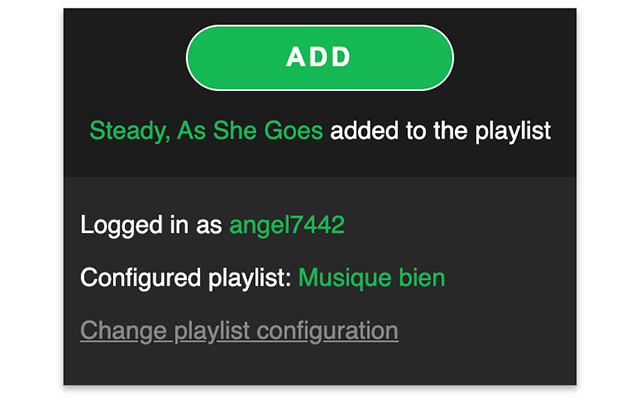
Pobierz plik CRX rozszerzenia Spotify Chrome extension
Pobierz pliki rozszerzeń Spotify Chrome extension w formacie crx, zainstaluj ręcznie rozszerzenia Chrome w przeglądarce lub udostępnij pliki crx znajomym, aby łatwo zainstalować rozszerzenia Chrome.
Instrukcja Użytkowania Rozszerzenia
If you are obsessed with little things that can save your time, even a few seconds, this extension is for you. Imagine you are doing stuffs on your computer, Chrome opened and listening random music on Spotify. Then you hear a music that makes you happy. You'd like to save it anywhere, to hear it again later. But you don't want to lose focus on what you are doing. So you can click on this extension's icon on your browser to add the track to the configured playlist. Podstawowe informacje o rozszerzeniu
| Nazwa |  Spotify Chrome extension Spotify Chrome extension |
| ID | hdnmejfdnmjkoljahfbbonogeflghela |
| Oficjalny URL | https://chrome.google.com/webstore/detail/spotify-chrome-extension/hdnmejfdnmjkoljahfbbonogeflghela |
| Opis | Quickly add Spotify track to playlist. |
| Rozmiar pliku | 144 KB |
| Liczba instalacji | 10,000 |
| Aktualna Wersja | 1.0.1 |
| Ostatnia Aktualizacja | 2021-04-11 |
| Data Publikacji | 2020-08-20 |
| Ocena | 5.00/5 Łącznie 2 Oceny |
| Deweloper | Angélique Estrade |
| [email protected] | |
| Typ Płatności | free |
| Obsługiwane Języki | en,fr |
| manifest.json | |
{
    "update_url": "https:\/\/clients2.google.com\/service\/update2\/crx",
    "version": "1.0.1",
    "name": "__MSG_appName__",
    "description": "__MSG_appDescription__",
    "default_locale": "en",
    "author": "aestrade",
    "options_page": "options.html",
    "background": {
        "page": "background.html"
    },
    "browser_action": {
        "default_popup": "popup.html"
    },
    "icons": {
        "16": "icon-16.png",
        "48": "icon-48.png",
        "128": "icon-128.png"
    },
    "permissions": [
        "storage",
        "identity"
    ],
    "manifest_version": 2,
    "content_security_policy": "script-src 'self' 'unsafe-eval'; object-src 'self'"
} | |