Speed Dial 3™
Speed Dial 3™ offers speed dial, and quick access to your APPS, bookmarks and history.
Co to jest Speed Dial 3™?
Speed Dial 3™ to rozszerzenie Chrome opracowane przez SD3™, a jego główną funkcją jest „Speed Dial 3™ offers speed dial, and quick access to your APPS, bookmarks and history.”.
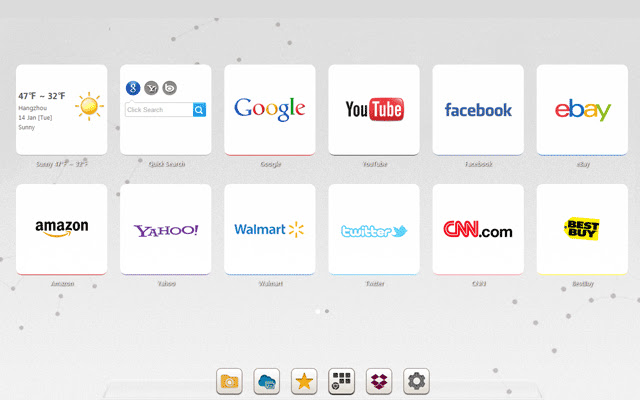
Zrzuty ekranu rozszerzenia

Pobierz plik CRX rozszerzenia Speed Dial 3™
Pobierz pliki rozszerzeń Speed Dial 3™ w formacie crx, zainstaluj ręcznie rozszerzenia Chrome w przeglądarce lub udostępnij pliki crx znajomym, aby łatwo zainstalować rozszerzenia Chrome.
Instrukcja Użytkowania Rozszerzenia
                        Speed Dial 3™ is an extended application of the Chrome browser which is based on HTML5. It replaces original New tab page. Save your favorite pages in one place with quick access to apps, bookmarks and browsing history.

It provides several features such as custom speed dial(like  count,style,size,opacity,etc), custom themes and background, quick add your common sites and apps, weather, quick search and auto backup data in time.

==============================
Update Log:

Version: 1.7.9 Updated: 2014-12-11
1. Fixed some bugs.

Version: 1.7.8 Updated: 2014-11-20
1. Added Super Discount function (only for chinese language)
2. Fixed some bugs.
Podstawowe informacje o rozszerzeniu
| Nazwa |  Speed Dial 3™ Speed Dial 3™ |
| ID | hfgjjcbbihjnpdommbepdkpfnkkapnbh |
| Oficjalny URL | https://chrome.google.com/webstore/detail/speed-dial-3/hfgjjcbbihjnpdommbepdkpfnkkapnbh |
| Opis | Speed Dial 3™ offers speed dial, and quick access to your APPS, bookmarks and history. |
| Rozmiar pliku | 294 KB |
| Liczba instalacji | 40,000 |
| Aktualna Wersja | 1.7.9 |
| Ostatnia Aktualizacja | 2014-12-10 |
| Data Publikacji | 2014-12-10 |
| Ocena | 3.53/5 Łącznie 637 Oceny |
| Deweloper | SD3™ |
| Typ Płatności | free |
| Obsługiwane Języki | de,en,fr,es,es-419,pt-BR,pt-PT,ru,zh-CN,zh-TW,ja |
| manifest.json | |
{
    "background": {
        "scripts": [
            "js\/background.js"
        ]
    },
    "name": "__MSG_chrome_extension_name__",
    "short_name": "__MSG_chrome_extension_short_name__",
    "description": "__MSG_chrome_extension_description__",
    "version": "1.7.9",
    "browser_action": {
        "default_icon": "img\/icon_16.png",
        "default_popup": "pop.html"
    },
    "icons": {
        "16": "img\/icon_16.png",
        "128": "img\/icon_128.png"
    },
    "chrome_url_overrides": {
        "newtab": "index.html"
    },
    "update_url": "http:\/\/clients2.google.com\/service\/update2\/crx",
    "default_locale": "en",
    "options_page": "index.html#setting",
    "permissions": [
        "management",
        "history",
        "chrome:\/\/favicon\/",
        "bookmarks",
        "tabs",
        "http:\/\/*\/*",
        "https:\/\/*\/*",
        "contextMenus",
        "notifications",
        "topSites",
        "unlimitedStorage"
    ],
    "web_accessible_resources": [
        "background.html",
        "pop.html",
        "redirect.html",
        "index.html"
    ],
    "content_security_policy": "script-src 'self'; object-src 'self';",
    "manifest_version": 2
} | |


![Speed Dial [FVD] - New Tab Page, 3D, Sync...](https://lh3.googleusercontent.com/w3K2CDl4n-0LZVksR5dwGR4Su5USBhNXQQc1-1isyFxaaGGsja7_8_NntP_Gy5bu6gzLS3Kv0pHRM13ZmohkLTAOn4w)