Owls HD new free tab theme
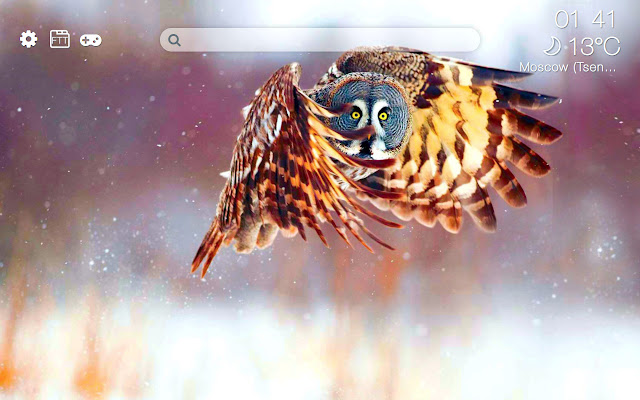
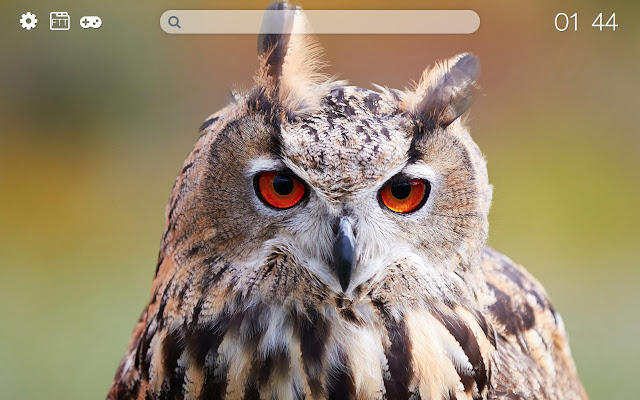
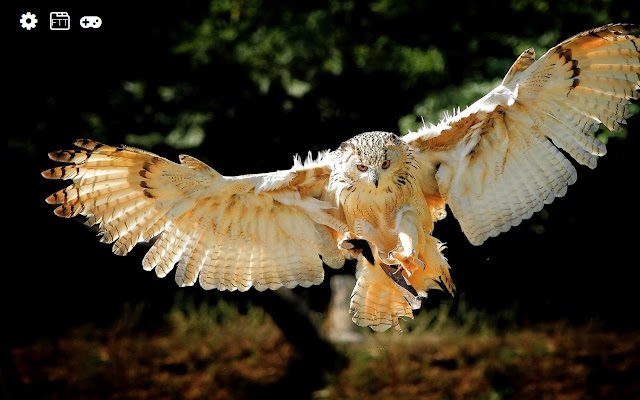
Get colorful owls wallpapers, just opening a new tab.
Co to jest Owls HD new free tab theme?
Owls HD new free tab theme to rozszerzenie Chrome opracowane przez http://freetabtheme.ru, a jego główną funkcją jest „Get colorful owls wallpapers, just opening a new tab.”.
Zrzuty ekranu rozszerzenia


Pobierz plik CRX rozszerzenia Owls HD new free tab theme
Pobierz pliki rozszerzeń Owls HD new free tab theme w formacie crx, zainstaluj ręcznie rozszerzenia Chrome w przeglądarce lub udostępnij pliki crx znajomym, aby łatwo zainstalować rozszerzenia Chrome.
Instrukcja Użytkowania Rozszerzenia
                        Owls

The theme of the new tab is for everyone who likes owls.

Unusual and at the same time pretty enough night birds. By installing this extension, you will be able to see photos of these animals by simply opening a new browser tab.

The extension will replace the standard background of the new browser tab on the pretty wallpapers with owls.

Additional features:
- weather display setting
- time display setting
- displayed images settings
- search
Podstawowe informacje o rozszerzeniu
| Nazwa |  Owls HD new free tab theme Owls HD new free tab theme |
| ID | hglkoogljkildmlgoajicjjpbgdhpnil |
| Oficjalny URL | https://chrome.google.com/webstore/detail/owls-hd-new-free-tab-them/hglkoogljkildmlgoajicjjpbgdhpnil |
| Opis | Get colorful owls wallpapers, just opening a new tab. |
| Rozmiar pliku | 61.32 MB |
| Liczba instalacji | 118 |
| Aktualna Wersja | 0.3.0 |
| Ostatnia Aktualizacja | 2021-04-27 |
| Data Publikacji | 2018-10-12 |
| Ocena | 5.00/5 Łącznie 1 Oceny |
| Deweloper | http://freetabtheme.ru |
| [email protected] | |
| Typ Płatności | free |
| Strona Rozszerzenia | https://freetabtheme.ru |
| Adres URL Strony Pomocy | https://freetabtheme.ru/form |
| Adres URL Strony Polityki Prywatności | https://freetabtheme.ru/eula |
| Obsługiwane Języki | en |
| manifest.json | |
{
    "update_url": "https:\/\/clients2.google.com\/service\/update2\/crx",
    "manifest_version": 2,
    "default_locale": "en",
    "name": "__MSG_chrome_extension_name__",
    "version": "0.3.0",
    "description": "__MSG_chrome_extension_description__",
    "background": {
        "scripts": [
            "vars.js",
            "js\/ls.js",
            "js\/lib\/lib.js",
            "js\/background\/api_b.js",
            "js\/background\/core_b.js"
        ],
        "persistent": true
    },
    "icons": {
        "16": "icons\/icon-16.png",
        "32": "icons\/icon-32.png",
        "48": "icons\/icon-48.png",
        "128": "icons\/icon-128.png"
    },
    "web_accessible_resources": [
        "icons\/*"
    ],
    "chrome_url_overrides": {
        "newtab": "page.html"
    },
    "content_security_policy": "script-src 'self' 'unsafe-eval'; object-src 'self'",
    "browser_action": {
        "default_title": "__MSG_chrome_extension_title__",
        "default_icon": {
            "16": "icons\/icon-16.png",
            "32": "icons\/icon-32.png",
            "48": "icons\/icon-48.png",
            "128": "icons\/icon-128.png"
        }
    }
} | |