Insert Timestamp
Insert Timestamp
Co to jest Insert Timestamp?
Insert Timestamp to rozszerzenie Chrome opracowane przez Dave Xu, a jego główną funkcją jest „Insert Timestamp”.
Zrzuty ekranu rozszerzenia
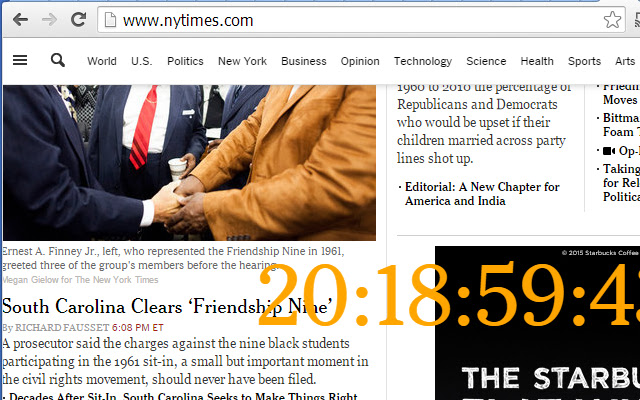


Pobierz plik CRX rozszerzenia Insert Timestamp
Pobierz pliki rozszerzeń Insert Timestamp w formacie crx, zainstaluj ręcznie rozszerzenia Chrome w przeglądarce lub udostępnij pliki crx znajomym, aby łatwo zainstalować rozszerzenia Chrome.
Instrukcja Użytkowania Rozszerzenia
                        2015-01-28
Dave Xu
1. better position selection
2. bigger numbers
3. bug fix : the clock cannot be seen on youtube web pages.

2015-01-21
Dave Xu
This is a simple extention, will only inject real-time clock into current webpage.
I develop it just for some tests, wish it could be helpful for other people.
Podstawowe informacje o rozszerzeniu
| Nazwa |  Insert Timestamp Insert Timestamp |
| ID | hojacnchclkfkdkcadnfogedeppclijb |
| Oficjalny URL | https://chrome.google.com/webstore/detail/insert-timestamp/hojacnchclkfkdkcadnfogedeppclijb |
| Opis | Insert Timestamp |
| Rozmiar pliku | 8.5 KB |
| Liczba instalacji | 21 |
| Aktualna Wersja | 1.1 |
| Ostatnia Aktualizacja | 2015-01-28 |
| Data Publikacji | 2015-01-28 |
| Ocena | 4.00/5 Łącznie 1 Oceny |
| Deweloper | Dave Xu |
| Typ Płatności | free |
| Strona Rozszerzenia | http://www.linkedin.com/in/yuandaxu |
| Adres URL Strony Pomocy | http://xuyuanda.blogspot.com |
| Obsługiwane Języki | en-US |
| manifest.json | |
{
    "update_url": "https:\/\/clients2.google.com\/service\/update2\/crx",
    "name": "Insert Timestamp",
    "version": "1.1",
    "manifest_version": 2,
    "description": "Insert Timestamp",
    "icons": {
        "16": "icon16.png",
        "48": "icon48.png",
        "128": "icon128.png"
    },
    "content_security_policy": "script-src 'self' 'unsafe-eval'; object-src 'self'",
    "permissions": [
        "activeTab",
        "*:\/\/www.youtube.com\/*",
        "http:\/\/*\/*",
        "https:\/\/*\/*",
        "unlimitedStorage"
    ],
    "content_scripts": [
        {
            "matches": [
                "*:\/\/www.youtube.com\/*",
                "http:\/\/*\/*",
                "https:\/\/*\/*"
            ],
            "all_frames": false,
            "css": [
                "show.css"
            ],
            "js": [
                "cbd.js",
                "ccc.js"
            ],
            "run_at": "document_end"
        }
    ]
} | |