Sema Login Autocomplete
Configure users credentials for each environment of your development web-projects. It's more than an autocomplete feature :-)
Co to jest Sema Login Autocomplete?
Sema Login Autocomplete to rozszerzenie Chrome opracowane przez José Manuel García García, a jego główną funkcją jest „Configure users credentials for each environment of your development web-projects. It's more than an autocomplete feature :-)”.
Zrzuty ekranu rozszerzenia
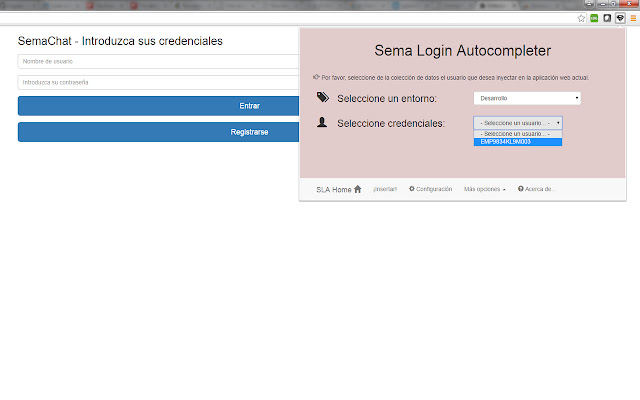
Pobierz plik CRX rozszerzenia Sema Login Autocomplete
Pobierz pliki rozszerzeń Sema Login Autocomplete w formacie crx, zainstaluj ręcznie rozszerzenia Chrome w przeglądarce lub udostępnij pliki crx znajomym, aby łatwo zainstalować rozszerzenia Chrome.
Instrukcja Użytkowania Rozszerzenia
                        Are you tired of write several time the user credentials of your current web development? Do you have a lot of different users in your web-app? Don't you remember which one is each credentials?

With the help of this extension you'll manage all your users and all your development environments (ouh yeah, production too!!), and don't care about the passwords :-)

Moreover, you could share that configuration (users, environments, credentials...) with your new mates, and you'll save your appreciated and tight time avoiding to resent them manually!

Languages: english, spanish and coming soon... italian! (automatically selected based on the chrome-lang)

Install it right now!
Podstawowe informacje o rozszerzeniu
| Nazwa |  Sema Login Autocomplete Sema Login Autocomplete |
| ID | icibgoniiblnlggidknaoijhcomafhma |
| Oficjalny URL | https://chrome.google.com/webstore/detail/sema-login-autocomplete/icibgoniiblnlggidknaoijhcomafhma |
| Opis | Configure users credentials for each environment of your development web-projects. It's more than an autocomplete feature :-) |
| Rozmiar pliku | 349 KB |
| Liczba instalacji | 35 |
| Aktualna Wersja | 1.2 |
| Ostatnia Aktualizacja | 2016-04-23 |
| Data Publikacji | 2016-04-23 |
| Ocena | 5.00/5 Łącznie 1 Oceny |
| Deweloper | José Manuel García García |
| [email protected] | |
| Typ Płatności | free |
| Obsługiwane Języki | en,es |
| manifest.json | |
{
"update_url": "https:\/\/clients2.google.com\/service\/update2\/crx",
"manifest_version": 2,
"name": "__MSG_extName__",
"version": "1.2",
"default_locale": "en",
"description": "__MSG_extDescription__",
"author": "Sema (Jos\u00e9 Manuel Garc\u00eda Garc\u00eda)",
"browser_action": {
"default_icon": "icons\/16\/s2.png",
"default_title": "Sema Login Autocomplete Extension",
"default_popup": "browser\/browser-action.html"
},
"background": {
"scripts": [
"libs\/jquery.js",
"background\/background.js"
],
"persistent": false
},
"commands": {
"_execute_browser_action": {
"suggested_key": {
"windows": "Ctrl+Shift+S",
"mac": "Command+Shift+S",
"chromeos": "Ctrl+Shift+S",
"linux": "Ctrl+Shift+S"
}
}
},
"content_scripts": [
{
"matches": [
" | |