History Manager
Manage your history better
Co to jest History Manager?
History Manager to rozszerzenie Chrome opracowane przez XSpace, a jego główną funkcją jest „Manage your history better”.
Zrzuty ekranu rozszerzenia


Pobierz plik CRX rozszerzenia History Manager
Pobierz pliki rozszerzeń History Manager w formacie crx, zainstaluj ręcznie rozszerzenia Chrome w przeglądarce lub udostępnij pliki crx znajomym, aby łatwo zainstalować rozszerzenia Chrome.
Instrukcja Użytkowania Rozszerzenia
                        # Smart History
Smart History is a chrome extension about history management with pretty user interfaces. Besides basic operations, Smart History provides rich options to acquire a much more delicate searching and listing result.

# Features
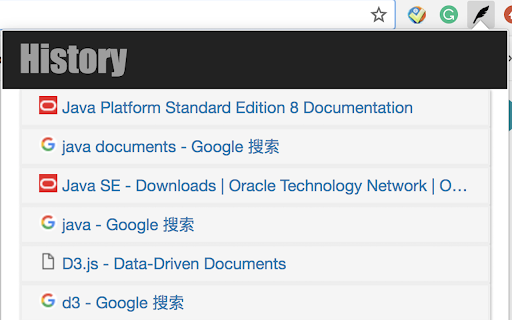
- A popup window to show histories briefly by clicking the black feather icon.
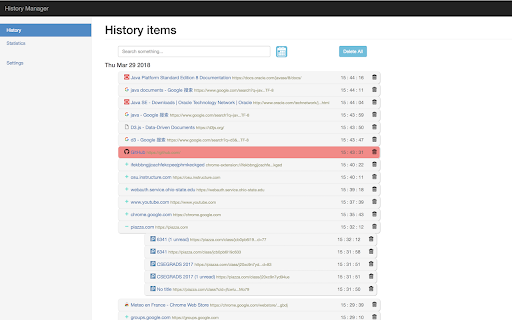
- By clicking the "History" title on the popup window, there will be a main interface that can search, delete, hide and group local browser histories
- Search history records by both keyword and date
- Group local browser history records by domain name and hid some history records specified by the user to reduce
the redundancy of showing records significantly
- Highlight important websites where users executed “copy” operations
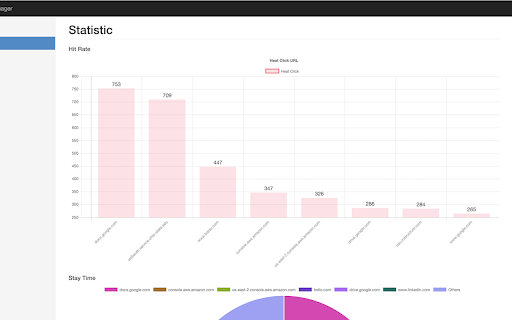
- Produced statistics about the hit rate and stay time of different websites with vivid charts
Podstawowe informacje o rozszerzeniu
| Nazwa |  History Manager History Manager |
| ID | ifekbbngjjcachfekcpeejphmkeckged |
| Oficjalny URL | https://chromewebstore.google.com/detail/history-manager/ifekbbngjjcachfekcpeejphmkeckged |
| Opis | Manage your history better |
| Rozmiar pliku | 648 KB |
| Liczba instalacji | 14,296 |
| Aktualna Wersja | 1.0 |
| Ostatnia Aktualizacja | 2018-03-29 |
| Data Publikacji | 2018-03-29 |
| Ocena | 3.13/5 Łącznie 39 Oceny |
| Deweloper | XSpace |
| [email protected] | |
| Typ Płatności | free |
| Obsługiwane Języki | en |
| manifest.json | |
{
    "update_url": "https:\/\/clients2.google.com\/service\/update2\/crx",
    "name": "History Manager",
    "version": "1.0",
    "short_name": "History",
    "description": "Manage your history better",
    "permissions": [
        "tabs",
        "history",
        "chrome:\/\/favicon\/",
        "storage",
        "bookmarks"
    ],
    "browser_action": {
        "default_popup": "html\/popup.html",
        "default_icon": "imgs\/icon.png"
    },
    "chrome_url_overrides": {
        "history": "html\/history.html"
    },
    "content_scripts": [
        {
            "matches": [
                "http:\/\/*\/*",
                "https:\/\/*\/*"
            ],
            "js": [
                "lib\/jquery-3.1.1.min.js",
                "js\/copy_detect.js"
            ]
        }
    ],
    "manifest_version": 2
} | |