Image Pin
Chrome Extension to place a sticky image in an active tab
Co to jest Image Pin?
Image Pin to rozszerzenie Chrome opracowane przez marius.valasevicius, a jego główną funkcją jest „Chrome Extension to place a sticky image in an active tab”.
Zrzuty ekranu rozszerzenia
Pobierz plik CRX rozszerzenia Image Pin
Pobierz pliki rozszerzeń Image Pin w formacie crx, zainstaluj ręcznie rozszerzenia Chrome w przeglądarce lub udostępnij pliki crx znajomym, aby łatwo zainstalować rozszerzenia Chrome.
Instrukcja Użytkowania Rozszerzenia
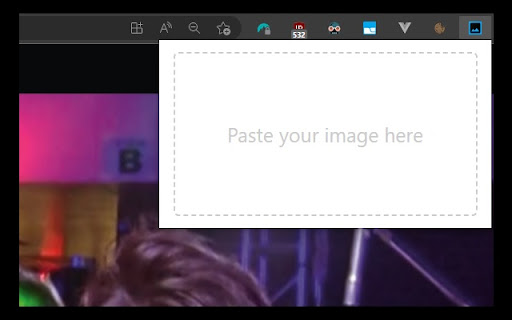
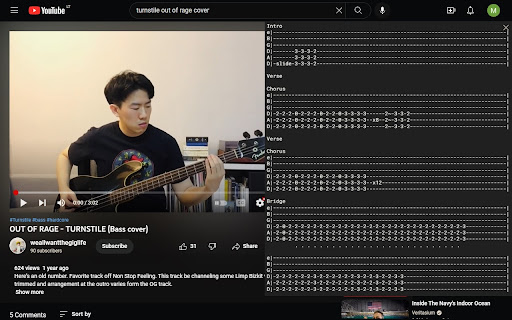
                        Image Pin allows you to place images over the website you're currently browsing. You can drag, resize and clear the image.

How to use:
- make a screenshot using in-build application in your Operating System or copy and image
- click on Image Pin browser extension icon
- paste your image (Ctrl + V on Windows, Command + V on Mac)

Feature set is currently limited, contact me if you find this useful and would like to see more features. Cheers!
Podstawowe informacje o rozszerzeniu
| Nazwa |  Image Pin Image Pin |
| ID | iopfomafdcjjcnoemjbdfckcmlfnbnlo |
| Oficjalny URL | https://chromewebstore.google.com/detail/image-pin/iopfomafdcjjcnoemjbdfckcmlfnbnlo |
| Opis | Chrome Extension to place a sticky image in an active tab |
| Rozmiar pliku | 53.82 KB |
| Liczba instalacji | 78 |
| Aktualna Wersja | 1.0 |
| Ostatnia Aktualizacja | 2022-12-11 |
| Data Publikacji | 2022-12-08 |
| Ocena | 3.00/5 Łącznie 2 Oceny |
| Deweloper | marius.valasevicius |
| [email protected] | |
| Typ Płatności | free |
| Obsługiwane Języki | en |
| manifest.json | |
{
    "update_url": "https:\/\/clients2.google.com\/service\/update2\/crx",
    "name": "Image Pin",
    "description": "Chrome Extension to place a sticky image in an active tab",
    "version": "1.0",
    "manifest_version": 3,
    "icons": {
        "128": "src\/assets\/icons\/128.png"
    },
    "content_scripts": [
        {
            "js": [
                "assets\/index.ts-loader.292b987b.js"
            ],
            "matches": [
                "https:\/\/*\/*"
            ],
            "css": [
                "assets\/index.de53758e.css"
            ]
        }
    ],
    "background": {
        "service_worker": "service-worker-loader.js",
        "type": "module"
    },
    "options_ui": {
        "page": "src\/options\/options.html",
        "open_in_tab": false
    },
    "action": {
        "default_popup": "src\/popup\/popup.html",
        "default_icon": {
            "128": "src\/assets\/icons\/128.png"
        }
    },
    "permissions": [
        "storage"
    ],
    "web_accessible_resources": [
        {
            "matches": [
                "https:\/\/*\/*"
            ],
            "resources": [
                "assets\/index.3360b234.js",
                "assets\/storage.8af25ec0.js",
                "assets\/index.ts.39512495.js"
            ],
            "use_dynamic_url": true
        }
    ]
} | |