Something™ Spaces
Something™ Spaces in your new tabs.
Co to jest Something™ Spaces?
Something™ Spaces to rozszerzenie Chrome opracowane przez https://spaces.something.global, a jego główną funkcją jest „Something™ Spaces in your new tabs.”.
Zrzuty ekranu rozszerzenia


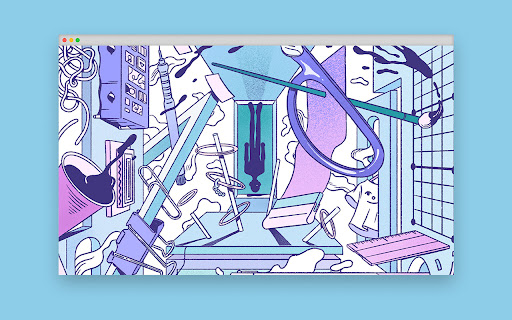
Pobierz plik CRX rozszerzenia Something™ Spaces
Pobierz pliki rozszerzeń Something™ Spaces w formacie crx, zainstaluj ręcznie rozszerzenia Chrome w przeglądarce lub udostępnij pliki crx znajomym, aby łatwo zainstalować rozszerzenia Chrome.
Instrukcja Użytkowania Rozszerzenia
                        Get a dose of inspiration from some of the most exciting independent creators every time you open a new tab.

Something™️ Spaces is the world’s first global public art exhibition – a cultural initiative to democratise creativity & realise its potential by uniting space owners, independent creators & appreciative communities around the world.

Find out more at else.something.global/spaces
Podstawowe informacje o rozszerzeniu
| Nazwa |  Something™ Spaces Something™ Spaces |
| ID | jbbpfbflcaebghkmocpbmbgekomglnan |
| Oficjalny URL | https://chromewebstore.google.com/detail/something-spaces/jbbpfbflcaebghkmocpbmbgekomglnan |
| Opis | Something™ Spaces in your new tabs. |
| Rozmiar pliku | 10.48 KB |
| Liczba instalacji | 1,275 |
| Aktualna Wersja | 1.3.2 |
| Ostatnia Aktualizacja | 2021-09-03 |
| Data Publikacji | 2020-03-24 |
| Ocena | 5.00/5 Łącznie 7 Oceny |
| Deweloper | https://spaces.something.global |
| [email protected] | |
| Typ Płatności | free |
| Strona Rozszerzenia | https://else.something.global/spaces |
| Adres URL Strony Polityki Prywatności | https://something.global/privacy/privacy-policy |
| Obsługiwane Języki | en |
| manifest.json | |
{
    "update_url": "https:\/\/clients2.google.com\/service\/update2\/crx",
    "manifest_version": 2,
    "name": "Something\u2122 Spaces",
    "version": "1.3.2",
    "description": "Something\u2122 Spaces in your new tabs.",
    "icons": {
        "16": "icons\/app-icon16.png",
        "32": "icons\/app-icon32.png",
        "48": "icons\/app-icon48.png",
        "128": "icons\/app-icon128.png"
    },
    "chrome_url_overrides": {
        "newtab": "index.html"
    }
} | |