Image downloader
Image Downloader seeks and helps to download all the images from the web pages. Even those images which are hidden from view.
Co to jest Image downloader?
Image downloader to rozszerzenie Chrome opracowane przez Image Downloader, a jego główną funkcją jest „Image Downloader seeks and helps to download all the images from the web pages. Even those images which are hidden from view.”.
Zrzuty ekranu rozszerzenia


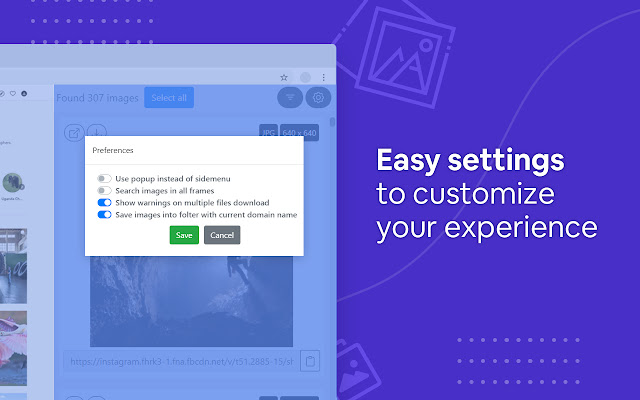
Pobierz plik CRX rozszerzenia Image downloader
Pobierz pliki rozszerzeń Image downloader w formacie crx, zainstaluj ręcznie rozszerzenia Chrome w przeglądarce lub udostępnij pliki crx znajomym, aby łatwo zainstalować rozszerzenia Chrome.
Instrukcja Użytkowania Rozszerzenia
                        Image Downloader displays a thumbnail of each image found on the page, with the option to download all of them or just a selection. It is convenient to use if you want to download all images, as it only takes two clicks. First, click the extension's icon and then the download button in the pop-up that opens.

Of course, you can right-click on the images you want to download and choose the save option or pull them from your browser cache where they will automatically appear when you view them in your browser.

Imagine a page with 40 images that you want to download. Instead of right-clicking multiple times, saving an entire page or fetching images from the browser cache, you can use an extension like Image Downloader to speed things up significantly.

It's much more convenient to use an extension that automates the download process for you!

What other useful features do the image downloader have?

☑︎ See images that the page contains and links to
☑︎ Filter them by width, height, and URL
☑︎ Optionally show only images from links
☑︎ Select images to download by clicking on the image
☑︎ Use dedicated buttons to open individual images in new tabs
☑︎ Supporting all principal websites (Instagram, Facebook, Twitter, Pinterest) and many more

Privacy Policy:
We do not collect, store, use, transfer or sell your personal information. In addition, we do not monitor your behavior on the Internet, do not monitor your actions and do not collect web pages that you visit.
Podstawowe informacje o rozszerzeniu
| Nazwa |  Image downloader Image downloader |
| ID | kdbfjpagopjjaiofmgodphiklmjhcnok |
| Oficjalny URL | https://chrome.google.com/webstore/detail/image-downloader/kdbfjpagopjjaiofmgodphiklmjhcnok |
| Opis | Image Downloader seeks and helps to download all the images from the web pages. Even those images which are hidden from view. |
| Rozmiar pliku | 701 KB |
| Liczba instalacji | 200,000 |
| Aktualna Wersja | 0.1.24 |
| Ostatnia Aktualizacja | 2022-07-23 |
| Data Publikacji | 2021-02-14 |
| Ocena | 4.10/5 Łącznie 199 Oceny |
| Deweloper | Image Downloader |
| [email protected] | |
| Typ Płatności | free |
| Adres URL Strony Polityki Prywatności | http://image-downloader.net/privacy_policy.html |
| Obsługiwane Języki | id,ms,de,en,en-GB,en-US,fil,fr,nl,no,vi,tr,ca,da,et,es,es-419,hr,it,lv,lt,hu,pl,pt-BR,pt-PT,ro,sk,sl,fi,sv,cs,el,sr,bg,ru,uk,mr,hi,bn,gu,ta,te,ml,th,zh-CN,zh-TW,ja,ko |
| manifest.json | |
{
"update_url": "https:\/\/clients2.google.com\/service\/update2\/crx",
"background": {
"persistent": true,
"scripts": [
"js\/background.js"
]
},
"browser_action": {
"default_icon": {
"19": "icons\/19.png",
"38": "icons\/38.png"
},
"default_title": "__MSG_extName__"
},
"content_scripts": [
{
"all_frames": false,
"css": [
"css\/content-sidebar.css",
"css\/chunk-common.css",
"css\/sidebar.css"
],
"js": [
"js\/content-sidebar.js",
"js\/chunk-vendors.js",
"js\/chunk-common.js",
"js\/sidebar.js"
],
"matches": [
" | |