Doc Finder for Chrome
Find static resources on a target website.
Co to jest Doc Finder for Chrome?
Doc Finder for Chrome to rozszerzenie Chrome opracowane przez biewenle, a jego główną funkcją jest „Find static resources on a target website.”.
Zrzuty ekranu rozszerzenia
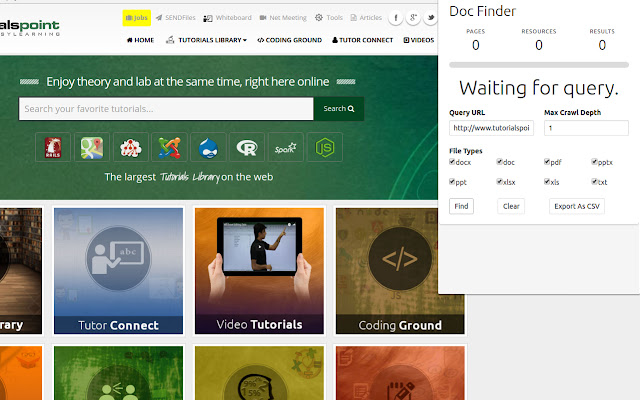


Pobierz plik CRX rozszerzenia Doc Finder for Chrome
Pobierz pliki rozszerzeń Doc Finder for Chrome w formacie crx, zainstaluj ręcznie rozszerzenia Chrome w przeglądarce lub udostępnij pliki crx znajomym, aby łatwo zainstalować rozszerzenia Chrome.
Instrukcja Użytkowania Rozszerzenia
                        Docfinder checks the fresh-ness hot-linked files on any website. Hot-files refer to files which can be download by clicking on a HTML anchor tag. The results can be downloaded as a csv file containing:

1) Filename
2) Link to file
3) HTTP Status, 200, 404 etc.
4) Last Modified
5) Content-Type
6) Server

For example,

 Information

Supported file types:

- pdf
- doc
- docx
- xls
- xlsx
- ppt
- pptx
- txt

Changelog:
- Added Status Underneath Progress Bar.
Podstawowe informacje o rozszerzeniu
| Nazwa |  Doc Finder for Chrome Doc Finder for Chrome |
| ID | kkcooalepcjbblibfpchinkdcbnfghoc |
| Oficjalny URL | https://chrome.google.com/webstore/detail/doc-finder-for-chrome/kkcooalepcjbblibfpchinkdcbnfghoc |
| Opis | Find static resources on a target website. |
| Rozmiar pliku | 2.98 MB |
| Liczba instalacji | 25 |
| Aktualna Wersja | 0.2.0 |
| Ostatnia Aktualizacja | 2019-03-08 |
| Data Publikacji | 2019-03-08 |
| Ocena | 5.00/5 Łącznie 2 Oceny |
| Deweloper | biewenle |
| [email protected] | |
| Typ Płatności | free |
| Obsługiwane Języki | en |
| manifest.json | |
{
    "update_url": "https:\/\/clients2.google.com\/service\/update2\/crx",
    "manifest_version": 2,
    "name": "Doc Finder for Chrome",
    "description": "Find static resources on a target website.",
    "version": "0.2.0",
    "browser_action": {
        "default_icon": "logo-16.png",
        "default_popup": "index.html"
    },
    "background": {
        "scripts": [
            "background.js"
        ]
    },
    "permissions": [
        "http:\/\/*\/*",
        "https:\/\/*\/*",
        "activeTab"
    ]
} | |