Smart Converter
Supper easy to use currency converter extension
Co to jest Smart Converter?
Smart Converter to rozszerzenie Chrome opracowane przez https://smart-converter.vercel.app, a jego główną funkcją jest „Supper easy to use currency converter extension”.
Zrzuty ekranu rozszerzenia

Pobierz plik CRX rozszerzenia Smart Converter
Pobierz pliki rozszerzeń Smart Converter w formacie crx, zainstaluj ręcznie rozszerzenia Chrome w przeglądarce lub udostępnij pliki crx znajomym, aby łatwo zainstalować rozszerzenia Chrome.
Instrukcja Użytkowania Rozszerzenia
                        How to use:
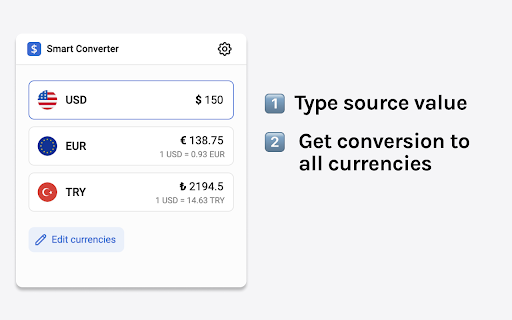
      1. Select source currency
      2. Type value
      3. Get conversion for all other currencies

💵 Multiple conversions
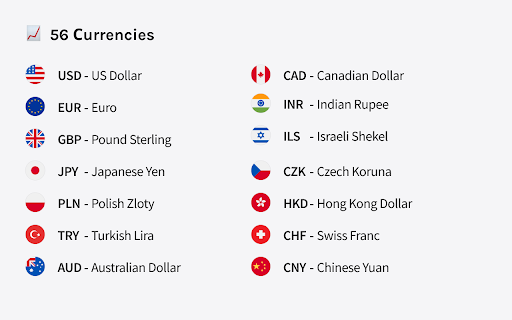
      56 currencies available for conversion.

⚡️ Always at hand
      Use keyboard shortcut to open conversions pop up.
       Alt + E (Windows, Linux, Chrome OS)
       ⌥ + E (macOS)

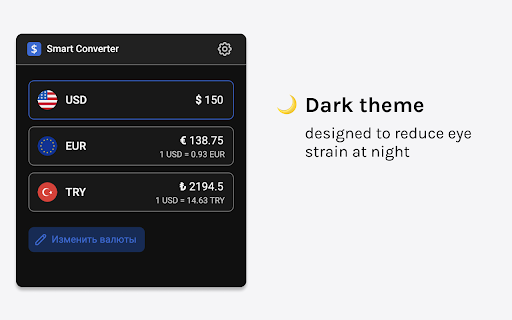
🌙 Dark theme
      Beautiful dark theme designed to reduce eye strain at night.
Podstawowe informacje o rozszerzeniu
| Nazwa |  Smart Converter Smart Converter |
| ID | lbjjliediibjgglhhmnpanncbkchpmeg |
| Oficjalny URL | https://chromewebstore.google.com/detail/smart-converter/lbjjliediibjgglhhmnpanncbkchpmeg |
| Opis | Supper easy to use currency converter extension |
| Rozmiar pliku | 2.76 MB |
| Liczba instalacji | 789 |
| Aktualna Wersja | 1.5.0 |
| Ostatnia Aktualizacja | 2023-09-20 |
| Data Publikacji | 2022-04-27 |
| Ocena | 4.71/5 Łącznie 7 Oceny |
| Deweloper | https://smart-converter.vercel.app |
| [email protected] | |
| Typ Płatności | free |
| Strona Rozszerzenia | https://smart-converter.vercel.app/ |
| Adres URL Strony Pomocy | https://smart-converter.vercel.app/contacts |
| Adres URL Strony Polityki Prywatności | https://www.doublesubs.com/privacy |
| Obsługiwane Języki | en,ru |
| manifest.json | |
{
    "update_url": "https:\/\/clients2.google.com\/service\/update2\/crx",
    "name": "__MSG_manifest_name__",
    "version": "1.5.0",
    "manifest_version": 3,
    "homepage_url": "https:\/\/smart-converter.vercel.app\/",
    "author": "Currency Exchange Rates",
    "description": "__MSG_manifest_description__",
    "default_locale": "en",
    "icons": {
        "128": ".\/dist\/assets\/icons\/icon128.png"
    },
    "action": {
        "default_popup": ".\/dist\/popup.html",
        "default_title": "Open the popup",
        "default_icon": ".\/dist\/assets\/icons\/icon.png"
    },
    "background": {
        "service_worker": "dist\/bgWrapper.js"
    },
    "options_page": "dist\/options.html",
    "web_accessible_resources": [
        {
            "resources": [
                "dist\/options.html"
            ],
            "matches": [],
            "extension_ids": []
        }
    ],
    "permissions": [
        "storage",
        "identity",
        "identity.email"
    ],
    "commands": {
        "_execute_action": {
            "suggested_key": {
                "default": "Alt+W",
                "mac": "Alt+W"
            }
        }
    }
} | |